
What Is Customer Service Automation? [Full Guide]
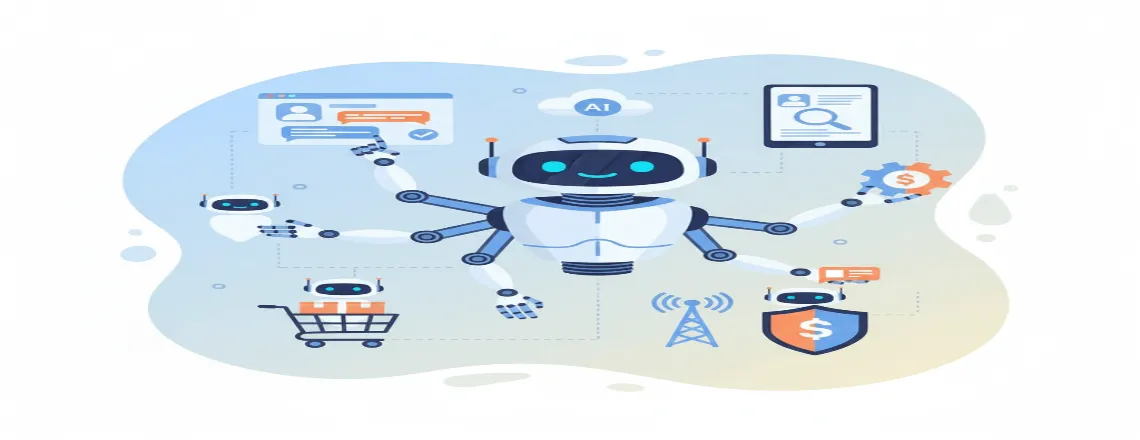
Customer service automation is the use of technology to handle routine support tasks without human intervention. It includes tools like AI chatbots, automated ticketing systems, self-service portals, intelligent routing, and workflow automation to deliver fast, accurate, and consistent support 24/7. By automating repetitive tasks, businesses improve customer experience (CX), reduce costs, boost agent productivity, and scale support efficiently.
This guide explains how customer service automation works, its benefits, best practices, key metrics like CSAT and FRT, and real-world use cases for SaaS, eCommerce, financial services, healthcare, and telecom companies.
📑 Table of Contents
- What Is Customer Service Automation? [Full Guide]
- Key Highlights
- What is Customer Automation?
- How Customer Service Automation Works
- Why Customer Service Automation Matters
- Customer Service Automation vs Traditional Support
- Key Benefits of Customer Service Automation
- Real-World Use Cases of Customer Service Automation
- Best Practices for Implementing Customer Service Automation
- Common Challenges and How to Overcome Them
- Measuring Success: Key Metrics for Customer Service Automation
- Future Trends in Customer Service Automation
- How to Choose the Right Customer Service Automation Software
- Conclusion
- Frequently Asked Questions (FAQs)
Key Highlights
| AI handles repetitive customer support tasks. Automation improves speed, cost, and efficiency. Chatbots and self-service enhance customer experience. Human agents focus on complex issues. Future trends include emotion-aware AI assistants. |
What is Customer Automation?

Customer service automation means letting technology handle support work that doesn’t need a human brain. We’re talking AI chatbots, automated ticketing systems, self-service portals, intelligent routing, and workflow automation, where the whole toolkit works together.
Imagine having someone on your team who never gets tired. Never makes mistakes on repetitive stuff. Always knows which expert to bring in for tough questions. That’s what automation does. Plus, nothing slips between the cracks.
You’ve already seen this in action. A chatbot answers your question at 2 AM. An automatic email confirms your ticket. A smart system sends your problem to the right department. A help center where you solve your own issue. That’s all customer service automation.
How Customer Service Automation Works
The basic flow is simple. First off, a customer fills out a form, fires off an email, or opens a chat window.
Now the system takes over. It reads the input using natural language processing (NLP), checks the sentiment, or follows preset rules. Then it figures out what to do next.
Maybe it answers right away. Maybe it sends the ticket to a specialist. Maybe it bumps things up to an agent. Sometimes it fixes everything on its own. The smart ones use machine learning (ML) to improve every time they run.
Modern platforms mix two styles. Rule-based stuff handles the easy cases. AI-driven automation tackles the messy situations that need real understanding. Put artificial intelligence and workflow automation together, and you get experiences that feel surprisingly human.
Why Customer Service Automation Matters
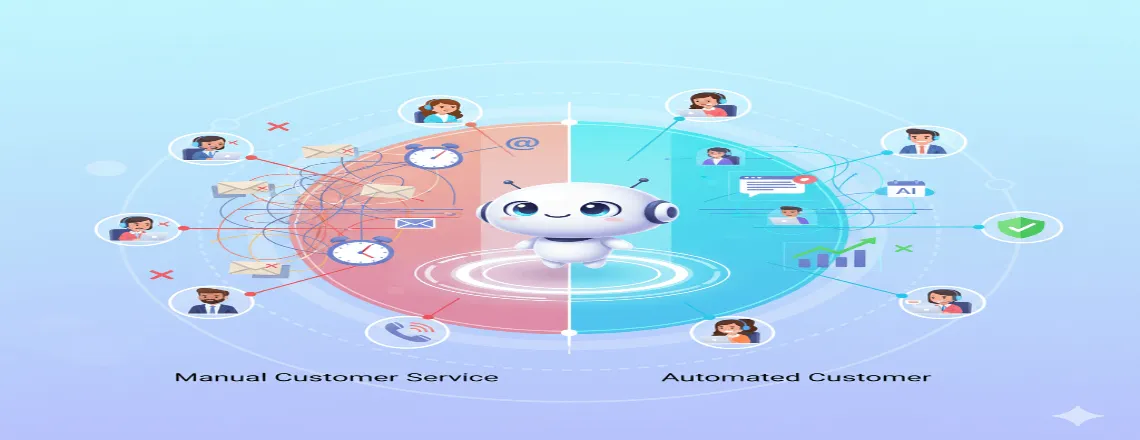
There’s this massive disconnect between what customers expect and what companies can actually pull off manually. Here’s a wild stat where it shows 67% of customers would rather figure things out themselves than talk to someone. But tons of businesses still force them through old-school channels.
Customer service automation fixes that problem in three ways: speed, availability, and consistency. Speed is vital as people cannot wait that long. Automated systems fire back instantly in seconds. Availability matters because nobody works 9-to-5 anymore. Automation makes supporting people around the clock actually affordable.
Consistency matters because every customer deserves the same great treatment. Automation wipes out the variables such as exhausted agents, uneven training, and human slip-ups.
Customer Service Automation vs Traditional Support
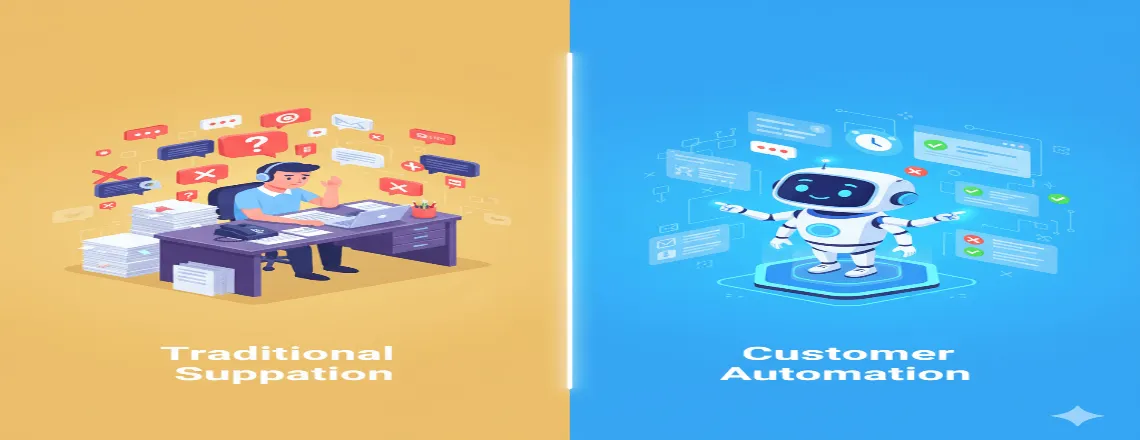
| Aspect | Customer Service Automation | Traditional Customer Support |
| Definition | Uses AI chatbots, automated ticketing systems, and workflow automation to handle customer queries with minimal human input. | Relies on human agents to manage all customer interactions manually via email, phone, or chat. |
| Response Time | Instant, 24/7 availability with AI-driven responses and intelligent routing. | Limited by business hours and agent availability; slower response times. |
| Scalability | Easily scales with cloud-based automation platforms and CRM integration. | Requires hiring and training more agents to handle higher volumes. |
| Consistency & Accuracy | Delivers consistent responses based on knowledge bases and machine learning models. | Response quality varies depending on the agent’s experience and workload. |
| Customer Experience (CX) | Offers personalized, omnichannel support with predictive assistance. | Provides a more human, empathetic touch, but may lack speed or consistency. |
| Operational Cost | Reduces cost per contact and agent workload, improving ROI. | Higher labor and training costs with limited efficiency gains. |
| Data & Insights | Provides detailed analytics, CSAT tracking, and AI-powered reports for decision-making. | Limited data collection and manual analysis of customer interactions. |
| Human Involvement | Humans focus on complex, emotional, or high-value tasks; automation handles routine requests. | Full human involvement in every interaction, regardless of complexity. |
| Error Rate | Minimal errors due to standardized workflows and automation logic. | Prone to human errors, delays, and inconsistencies. |
| Best Use Case | Ideal for SaaS, eCommerce, FinTech, and telecom industries needing high-volume, 24/7 support. | Best for premium services, relationship-based industries, or complex B2B interactions. |
Key Benefits of Customer Service Automation
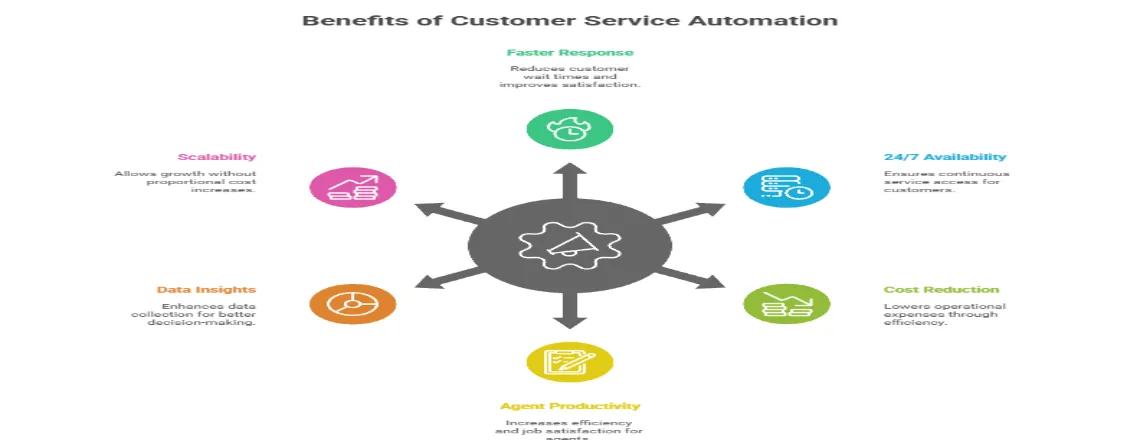
There are many benefits of customer service automation, they are:
Faster Response and Resolution Times
Quick responses make customers happy. Automated systems respond instantly even for basic stuff and they solve problems on the spot. As we know human agents need 2-3 minutes to reply to a chat. An AI chatbot can respond to the questions in a few seconds. For harder problems, customer service automation software collects the important details upfront and routes everything to the perfect specialist.
Due to customer service automation, customers don’t have to face any issues. And they don’t have to repeatedly explain the same problems again and again. Due to this solution, the first response time gets reduced drastically.
24/7 Availability
Automated customer service never stops. As it can be a huge benefit for many companies with customers scattered across time zones. Online stores see tons of traffic when most support teams are asleep. SaaS companies have users working all kinds of crazy hours. That’s why automated customer service can be a huge plus point to deal with these issues and make it easier for the related companies.
Look, automation doesn’t mean ditching human support. It means basic help is always there. Human agents tackle complex cases during business hours, and the automated customer service provides help when human agents are not available.
Significant Cost Reduction
Labor eats up most of your customer service budget. Automate 30-50% of the routine questions, and you’ll reduce the staffing costs while keeping service quality the same.
Assume this: a team that needed 50 agents might handle the same workload with 30 agents plus automation. You’re not just saving on salaries but also spending less money on training people on simple tasks, lower turnover, and less overtime when things get crazy.
This cost efficiency turns customer service automation into a good investment with clear, measurable ROI.
Improved Agent Productivity and Satisfaction
Customer service automation doesn’t replace your agents. It makes them more effective. When automation handles password resets, order status checks, and basic troubleshooting, agents tackle interesting problems that actually need human skills.
This changes everything for job satisfaction. Agents who spent 70% of their day on the same repetitive tasks now focus on high-value interactions where they genuinely help people.Result? Less burnout. Lower turnover. Higher morale. Better career growth. And here’s the kicker: happy agents create better customer experiences.
Enhanced Data Collection and Insights
Every automated interaction creates data. Stack that up over time, and you’ve got a collection of data showing what customers need, where they get stuck, and where your service falls apart.
Dig into this data, and you’ll spot which products confuse people. You’ll catch problems while they’re still small. You’ll see patterns that help you plan resources better.
Making smart decisions about improving your product gets way easier when automated customer service tracks every single thing. No more wild guessing, as you have got actual proof.
Scalability Without Proportional Cost Increases
Traditional customer service scales linearly. Double your customers? You’ll roughly double your support team. Automation completely breaks this pattern. Once you’ve got automated systems running, handling 1,000 or 10,000 more inquiries monthly costs almost nothing extra. This makes aggressive growth financially viable . Scalability protects your margins as you expand. You can grow your customer base without worrying about support costs spiraling out of control. That’s powerful.
Real-World Use Cases of Customer Service Automation
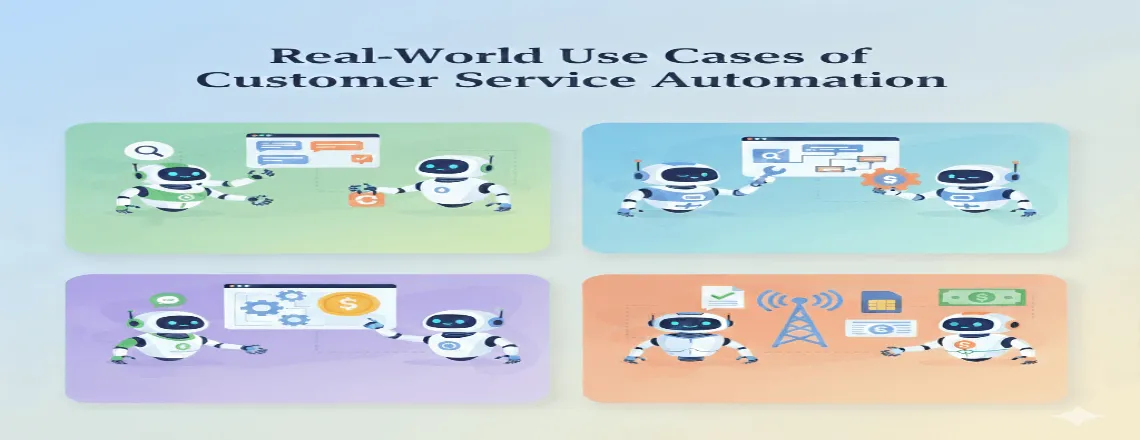
Customer Service Automation has been used and has been creating a solution for different issues in today’s world. It has become a vital part for companies around the world. There are some real-world use cases:
E-commerce: Order Tracking and Returns
Online retailers deal with thousands of “Where’s my order?” questions daily. An automated system pulls real-time shipping data when customers enter order numbers. It sends updates proactively when shipments hit delays. It processes straightforward returns by generating labels automatically. This approach handles 60-70% of order-related questions without any agent involvement. Ticket volume drops dramatically while customer satisfaction and retention climb.
SaaS: Technical Troubleshooting
Software companies use customer service automation for password resets that happen entirely through automated emails. Chatbots walk users through setup with screenshots at each step. Automatic detection of service disruptions provides instant status updates. Self-service portals let users manage subscriptions, billing, and settings independently. Advanced AI-powered systems analyze error logs and suggest specific fixes based on what they detect. Often they resolve technical issues faster than humans could.
Financial Services: Account Inquiries
Banks and fintech companies deploy automation for balance checks and transaction history via chatbots. Automated fraud alerts lock accounts immediately when suspicious activity appears. Loan application status updates happen without agent intervention. Bill reminders and automated payment processing improve the whole experience. Security stays paramount. These systems use multi-factor authentication and encrypt sensitive data to maintain compliance and customer trust.
Telecommunications: Service Activation and Billing
Telecom providers face massive volumes of repetitive requests. Service activation and SIM registration happen automatically through guided workflows. Bill explanations break down charges automatically, reducing confusion. Plan changes are processed through self-service portals without agent help. Network outage notifications go out proactively to affected customers, preventing floods of support calls. This cuts call center volume while maintaining high customer satisfaction scores.
Best Practices for Implementing Customer Service Automation
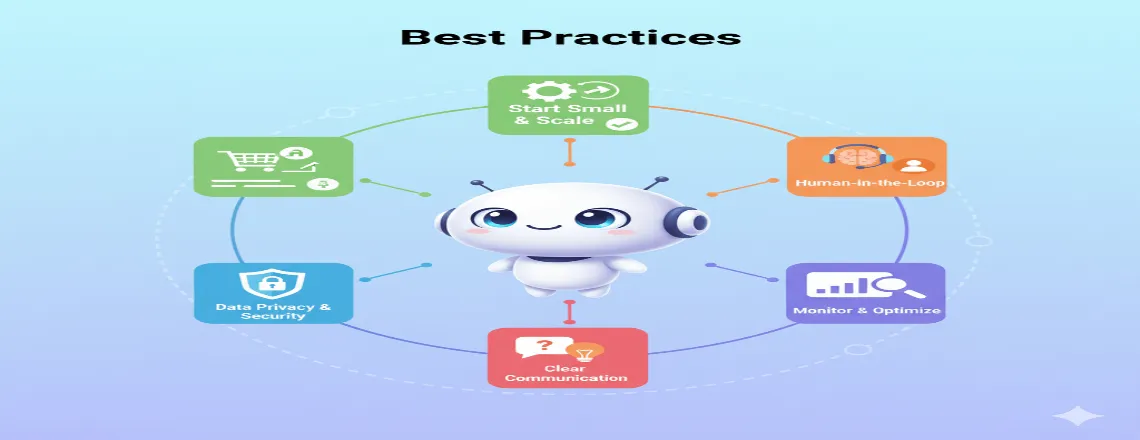
Best practices that could improve the usage of customer service automated are listed below:
Start with High-Volume, Low-Complexity Tasks
Don’t go crazy trying to automate everything right out of the gate. Hunt down your most common, simplest questions first. Perfect places to start are password resets, order tracking, hours and locations, basic product details, and form handling. Nail these basic automations first. Build some confidence. Show a clear ROI. Then slowly expand to trickier situations.
Maintain a Clear Path to Human Support
Make sure nobody feels stuck in automation hell. Always give customers a simple, obvious escape route to a real human. Put a prominent “Speak to an agent” button in chatbots. Include clear escalation paths in automated emails. When handing off to agents, transfer the full conversation context.
Design Conversations, Not Interrogations
Effective automated chats should feel natural, not robotic. Use natural language processing (NLP) to grasp what people actually mean. When sentiment analysis spots frustration, acknowledge it. Show personality that fits your brand. Bad approach: “Provide order number.” Better approach: “I’d love to check on your order! What’s your order number? You’ll find it in your confirmation email.” That tiny difference massively impacts how customers perceive the interaction and their satisfaction with automated customer service.
Continuously Test and Refine
Customer service automation needs constant attention. Check regularly where customers abandon flows. See what questions stump the system. Watch feedback scores for automated chats. Track how long different problems take to fix. Use this data to improve scripts, add capabilities, and refine flows. The best customer service automation software evolves based on real performance and shifting customer needs.
Train Your Team Alongside Your Technology
Agents need to understand how automation works, when to trust it, and when to step in. Training should cover monitoring automated interactions and taking over smoothly. Teach agents to update knowledge bases and scripts. Show them how to read automation-generated insights about behavior patterns. Well-trained teams see automation as a partner, not competition. This creates better collaboration between human and automated support, which means better customer experiences.
Common Challenges and How to Overcome Them
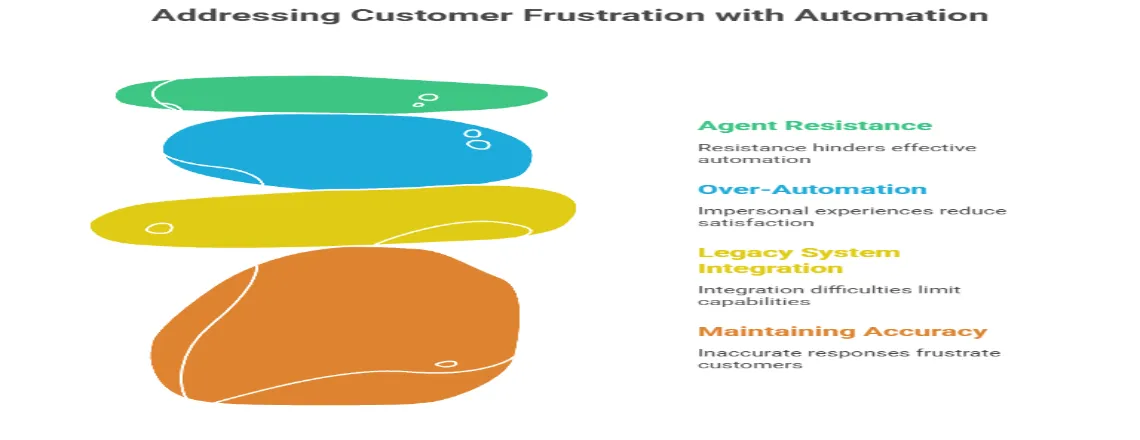
Even after all the benefits of automated customer service, there might be some challenges, which can be overcome by these steps:
Customers Frustrated with Limited Capabilities
Set clear expectations upfront. If your AI chatbot handles five topics well, guide users toward those clearly. For everything else, route quickly to humans. Frame it clearly: “I can help with order status, returns, and product information.” Always offer an out: “For other questions, I’ll connect you with someone who can help better.”
Maintaining Accuracy in Responses
Run regular checkups on your knowledge base. Have team members review articles every month. Refresh chatbot scripts every quarter. Double-check that automated answers match current policies. When products or policies shift, update all automated stuff immediately. Keeping things accurate maintains customer trust in your automated customer service. Wrong information pisses customers off and dumps more work on agents.
Integration with Legacy Systems
Modern customer service automation platforms offer API connections and pre-built integrations for popular systems like CRM and helpdesk software. Can’t integrate directly? Use middleware platforms that bridge old and new tech. Start with one integration. Prove the value. Then expand gradually. This reduces risk and lets you learn along the way.
Over-Automation Leading to Impersonal Experiences
Stick to the 80/20 rule. Automate the 80% that’s straightforward. Let humans tackle the 20% that needs empathy and creative thinking. Watch customer sentiment and CSAT scores like a hawk. If satisfaction tanks after automation, dig deep and fix your approach. Balance is everything in ai in customer service automation. Technology should boost the human touch when it counts, not erase it.
Agent Resistance to Automation
Involve agents in designing automation from day one. They understand customer needs and common issues better than anyone. When agents help build automation, they see it as making their work easier, not threatening their jobs. Show them how automation elevates their role to more strategic, fulfilling work. Share data on reduced burnout and improved satisfaction in teams using automation effectively.
Measuring Success: Key Metrics for Customer Service Automation
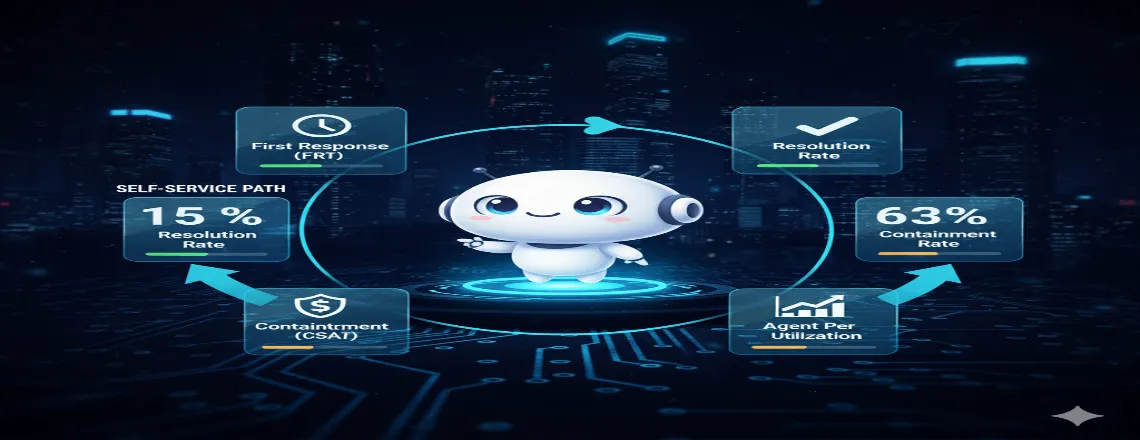
These are the metrics that are used to measure the success of customer service automation:
First Response Time (FRT)
Track how fast customers get initial responses. Automation should slash FRT for common inquiries from hours to seconds. Target responses under 60 seconds for automated interactions. This metric directly impacts satisfaction and how people perceive your brand. Compare FRT before and after implementation to show value. Faster responses lead to better retention rates.
Resolution Rate
Measure what percentage of automated interactions resolve issues without agent help. This is your main automation efficiency metric. Target 40-60% resolution initially. As your system learns and improves, push toward 60-80% for mature programs. High resolution rates prove your customer service automation software handles appropriate tasks effectively without frustrating customers.
Customer Satisfaction (CSAT)
Survey customers after automated interactions. If CSAT scores for automated support lag human support significantly, investigate why. Target CSAT within 5-10% of human-assisted interactions. Some customers prefer automation for simple tasks. Others prefer humans. Both are valid. Track trends over time. Improving CSAT scores shows your automation is getting smarter and more helpful.
Containment Rate
Track what percentage of customers starting with automation complete their journey without escalating. This shows effectiveness clearly. Target 50-70% containment depending on issue complexity. Higher containment means customers find automated customer service sufficient. Low containment suggests automation tackles overly complex issues or lacks necessary capabilities. Adjust accordingly.
Cost Per Ticket
Calculate the average cost to resolve tickets with automation versus humans. This shows financial ROI clearly. Target 60-80% lower cost per ticket for automated resolutions. Factor in platform costs, implementation, and maintenance for accurate numbers. This metric justifies investment in the best customer service automation tools and helps secure budget for expansion and improvements.
Agent Utilization
Monitor whether agents spend more time on complex, high-value tickets after implementing automation. This shows workflow improvement. Target 30-40% more time on complex issues requiring human expertise. Agents should handle fewer total tickets but more meaningful ones. Better agent utilization leads to improved job satisfaction, lower turnover, and ultimately better customer experiences when human support matters.
Case Study: How Automation Transformed Support at a Growing SaaS Company

The Challenge
A B2B SaaS company supporting 5,000 customers hit a wall. Their 12-person support crew struggled with ticket volume that exploded 40% year-over-year. Average first response time stretched to a painful 8 hours. Customer satisfaction scores kept sliding. They needed to grow support without hiring a ton more people. Budget reality made traditional hiring impossible. They bet on customer service automation.
The Solution
They rolled automation out in three waves over six months. Wave one dropped an AI chatbot handling five common questions: password resets, billing stuff, feature questions, system status, basic fixes. Those five made up 35% of all tickets. Wave two added intelligent routing with natural language processing. The system read incoming tickets and assigned them by topic, urgency, and agent skills. Wave three built an AI-powered knowledge base suggesting helpful articles to customers and agents, boosting self-service big time.
The Results
Six months in, results crushed what they expected. First response time plummeted from 8 hours to 15 minutes for automated stuff, 2 hours for tickets needing humans. Agent-handled ticket volume dropped 42% as automation and self-service absorbed routine junk. CSAT scores rocketed from 3.8 to 4.4 out of 5.
Cost per ticket fell 58% counting automated fixes. Agent satisfaction jumped as soul-crushing repetitive work vanished. Team retention climbed from 72% to 91%. They handled 60% more total support interactions with the exact same 12-person team. Both customer and agent satisfaction exploded, proving automated customer service works when you do it right.
Future Trends in Customer Service Automation
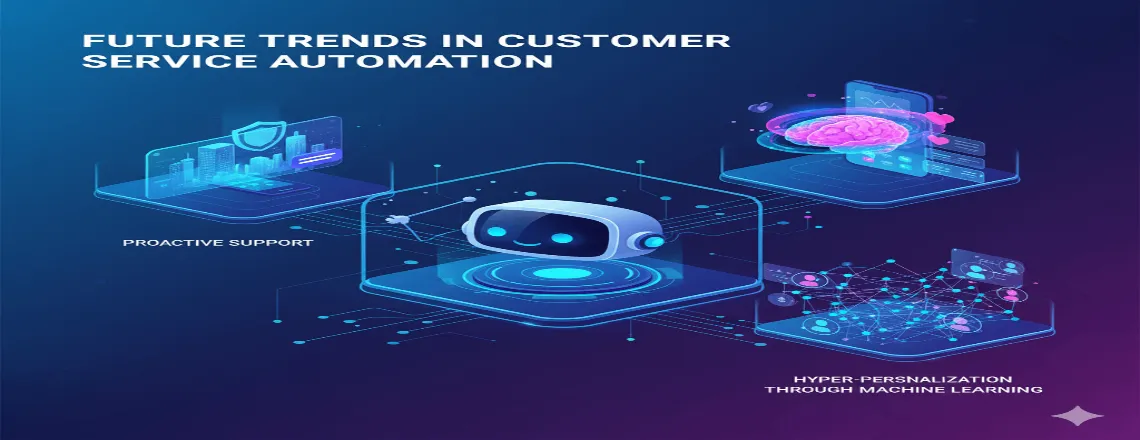
Proactive Support Becomes Standard
Instead of waiting for customers to report problems, AI will spot issues before they escalate. If your system sees a customer failing login attempts repeatedly, automated support reaches out first. “We noticed you’re having trouble logging in. Here are three common fixes, or I can reset your password right now.” This shift from reactive to proactive support changes everything fundamentally. Predictive analytics will anticipate needs based on behavior patterns. Customers get help before realizing they need it.
Emotion AI and Advanced Sentiment Analysis
Next-generation automation will read customer emotions with increasing accuracy through sentiment analysis. Frustrated customers get different handling than curious ones exploring features. Systems will recognize when situations need immediate human escalation based on sentiment shifts during interactions. This prevents small frustrations from becoming major complaints. AI in customer service automation will grow more emotionally intelligent, creating more satisfying interactions even without human involvement.
Hyper-Personalization Through Machine Learning
Automation will anticipate needs using machine learning algorithms. If a customer typically orders supplies on the 15th monthly, automation might send a proactive reminder. “Time to reorder?” messages with usual items pre-selected save customer time. These predictive capabilities will make automated interactions feel less mechanical, more intuitive. Personalization extends beyond behavior to communication style. Systems will learn whether customers prefer detailed explanations or quick answers, adjusting for better experiences.
How to Choose the Right Customer Service Automation Software
Assess Your Current Support Landscape

Before you check out tools, nail down what you actually need. What’s your monthly ticket count? What chunk of questions are repetitive and automation-ready? Which channels do customers prefer chat, email, phone, social? What’s your current response and fix time across channels?
What systems need to connect? Your CRM, helpdesk, payment stuff, and other platforms must link with your automation solution for maximum impact. Crystal-clear answers guide picking software and stop you from buying tools that don’t fit what you actually do.
Essential Features to Look For
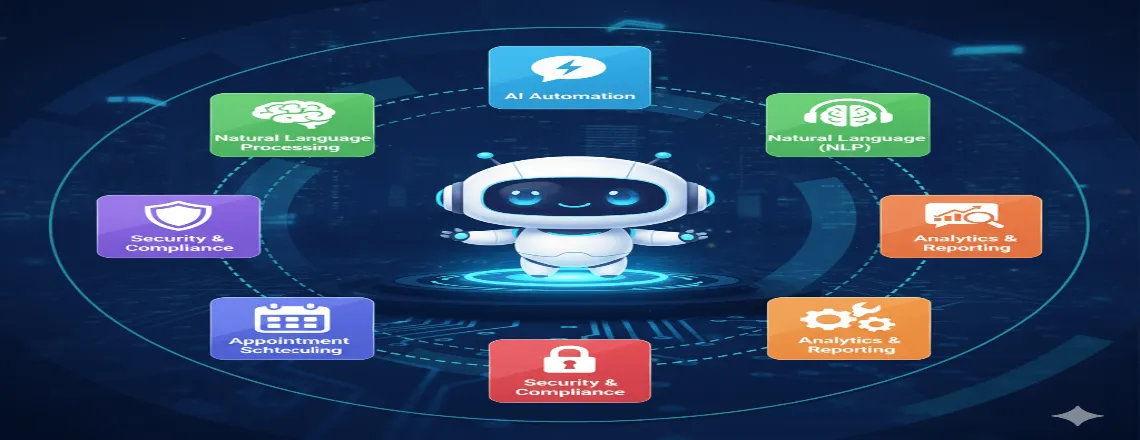
Natural language processing (NLP) isn’t negotiable. The system should grasp what customers mean even when they word it differently. “I can’t log in,” “Login’s busted,” and “Forgot my password” should all kick off the same helpful process. Multichannel support makes sure customers get consistent automated help whether they ping you through chat, email, text, or social platforms.
Easy connections with existing tech prevent massive custom development. Analytics and reporting show how automation performs, satisfaction levels, resolution rates, and where to improve. Conversation design tools let non-technical folks build and tweak automated workflows without writing code. This speeds up setup and lets you iterate fast.
Smooth escalation ensures clean handoffs to human agents with full context passed along. Security and compliance matter for regulated fields—confirm platforms hit necessary marks like SOC 2, GDPR compliance, or HIPAA when applicable.
Evaluating Vendors and Tools

Ask for demos using your actual data, not fake examples. Push vendors to show their platform with real examples from your support history. Launch pilots before going all-in. Test platforms with part of your support volume to spot integration headaches and usability problems in low-risk settings.
Check references from customers in similar fields or with matching support loads. Ask about setup nightmares, ongoing support quality, and actual results versus sales promises. Calculate total cost including licenses, setup, training, and ongoing upkeep. Look past sticker prices to understand the real long-term investment.
Top platforms in 2025 include Zendesk and Freshdesk for full support packages, Intercom and Drift for AI chatbots with solid conversational chops, and Zapier for workflow automation linking tools without coding. Pick vendors with strong money backing and clear product plans. The customer service automation space moves lightning-fast as you want partners dumping money into innovation and staying ahead.
Conclusion
Customer service automation is a competitive must-have. Automated customer service powered by AI and machine learning delivers faster, more consistent, and cost-effective support while freeing agents for complex, human-focused tasks. Start small, use the best customer service automation tools, focus on quick wins, and refine your workflows. The faster you implement customer service automation software, the sooner you’ll deliver better customer experiences and gain a lasting competitive edge.
Frequently Asked Questions (FAQs)
Customer service automation is the use of technology—such as AI chatbots, automated ticketing systems, and workflow automation—to handle repetitive customer support tasks without human intervention. It helps businesses deliver faster, more consistent, and 24/7 customer service experiences.
It works through a mix of rule-based workflows and AI-driven automation. When a customer sends a message or opens a ticket, NLP (Natural Language Processing) analyzes the query, routes it to the right department, or provides an automated response. Over time, machine learning (ML) improves accuracy and personalization.
Key benefits include faster response times, reduced costs, 24/7 availability, improved agent productivity, enhanced customer satisfaction (CSAT), and better data insights. Automation also allows companies to scale support without increasing staffing costs.
Traditional support relies entirely on human agents to handle every request, while automation uses AI and software systems to handle simple, repetitive tasks. This makes automation faster, more cost-efficient, and scalable, whereas traditional support offers a more human touch for complex cases.
Examples include chatbots answering FAQs, automated order tracking, ticket routing, self-service portals, and AI-powered knowledge bases. Industries like eCommerce, SaaS, FinTech, telecom, and healthcare use automation for tasks such as password resets, billing, and account management.
No, it doesn’t replace them—it supports them. Automation handles repetitive queries while human agents focus on complex, emotional, or high-value issues. This partnership improves efficiency and overall customer experience.
Common metrics include First Response Time (FRT), Resolution Rate, Containment Rate, Customer Satisfaction (CSAT), Cost per Ticket, and Agent Utilization. These KPIs show how effectively automation improves service performance and ROI.
Challenges include limited chatbot capabilities, outdated knowledge bases, integration issues with legacy systems, and potential over-automation that feels impersonal. These can be overcome through regular updates, hybrid support models, and continuous monitoring of CSAT and sentiment analysis.
Companies should evaluate tools based on NLP accuracy, CRM integration, reporting analytics, multichannel support, and security compliance (like GDPR or SOC 2). Top platforms in 2025 include Zendesk, Freshdesk, Intercom, and Drift for scalable automation solutions.
The future of customer service automation lies in hyper-personalized AI assistants, emotion-aware chatbots, predictive support, and tighter CRM integrations. Businesses will move toward human-AI collaboration models that deliver empathy, speed, and accuracy simultaneously.

Daniel Wong
Technical Content Writer
My name is Daniel Wong, a Technical Content Writer from Singapore with a strong interest in AI-powered tools and digital automation. At ChatBoq AI, I focus on creating practical and easy-to-follow content that helps businesses and individuals understand how chatbots work and how to use them effectively.
I enjoy breaking down complex topics like natural language processing (NLP) and conversational AI into simple guides that anyone can follow. Each article is based on careful research, real-world examples, and testing to ensure accuracy and reliability.
Through ChatBoq AI, my goal is to provide readers with trustworthy insights, step-by-step tutorials, and the latest trends in chatbot technology.
✍️
Expert in AI & Chatbot Technology

Leave A Comment