How to Create Custom Chatbots for Your Business Without Coding Using a Chatbot Builder
Small businesses today must respond instantly, handle customer questions 24/7, and capture leads even when the team is busy or offline. Hiring developers to build AI systems feels expensive and overwhelming, but what if you could create chatbot experiences yourself?
📑 Table of Contents
- How to Create Custom Chatbots for Your Business Without Coding Using a Chatbot Builder
- What Is a No-Code Chatbot Builder?
- Why Your Business Needs a Custom Chatbot
- Step-by-Step: How to Create a Custom Chatbot Without Coding
- Best Practices for Business Chatbots
- Common Mistakes to Avoid
- Free vs. Paid Chatbot Builders: What You Need
- Real Business Use Cases
- Integration with Your Business Tools
- Getting Started Today
- Frequently Asked Questions (FAQs)

With the right chatbot builder, SMBs can now deploy intelligent assistants without writing a single line of code. This guide shows you how non-technical founders can use an AI chatbot builder to launch a professional, on-brand custom chatbot in just minutes, no developers required, and no technical experience needed. If you’ve been wondering how to build an AI chatbot without coding, you’re in the right place.
What Is a No-Code Chatbot Builder?
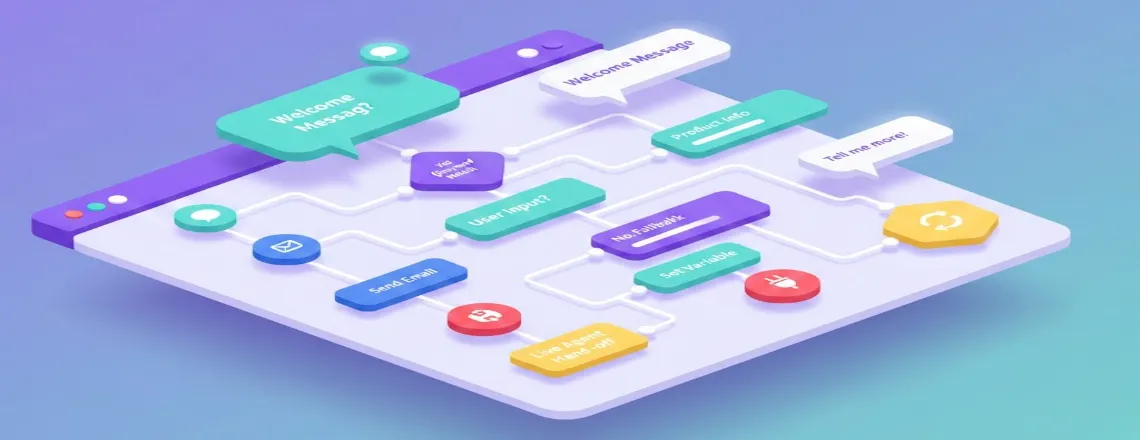
A no-code chatbot builder is a visual platform that lets you design automated conversations using drag-and-drop tools rather than programming. It works exactly like a website builder but for chatbots. You can create chatbot flows, responses, and logic using a simple interface that anyone can learn.
Core features include:
- Visual conversation editor
- Pre-built templates for sales, support, and bookings
- Point-and-click customization
- Built-in NLP and AI responses
- Easy website embedding with one snippet
Popular no-code chatbot builder tools include Chatboq, Tidio, Voiceflow, and ManyChat. These tools are made for business owners, marketers, and support teams who need a reliable chatbot for business without technical complexity.
Why Your Business Needs a Custom Chatbot
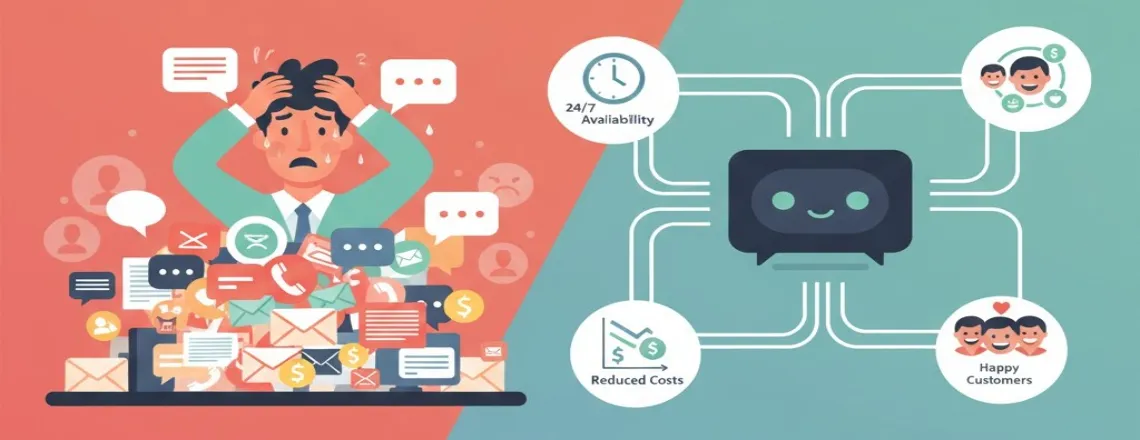
A business chatbot is only effective when it aligns with your goals. Generic bots often frustrate users, but a custom chatbot tailored to your audience can transform customer experience and operational efficiency.
Benefits of a custom-built bot:
- 24/7 support: Never miss leads, even outside business hours
- Instant responses: 82% of customers expect immediate answers
- Lower support costs: Automate 70–80% of common questions
- Better lead qualification: Ask screening questions before routing to sales
- Predictable customer experience: Deliver consistent information every time
- Scalable communication: Handle hundreds of chats simultaneously
Businesses using chatbots reduce support costs by up to 30% while improving response times dramatically. With a modern chatbot builder, even small businesses can offer enterprise-level service quality. Whether you’re looking to streamline your sales process or improve customer engagement, a sales chatbot can transform how you capture and qualify leads.
Step-by-Step: How to Create a Custom Chatbot Without Coding
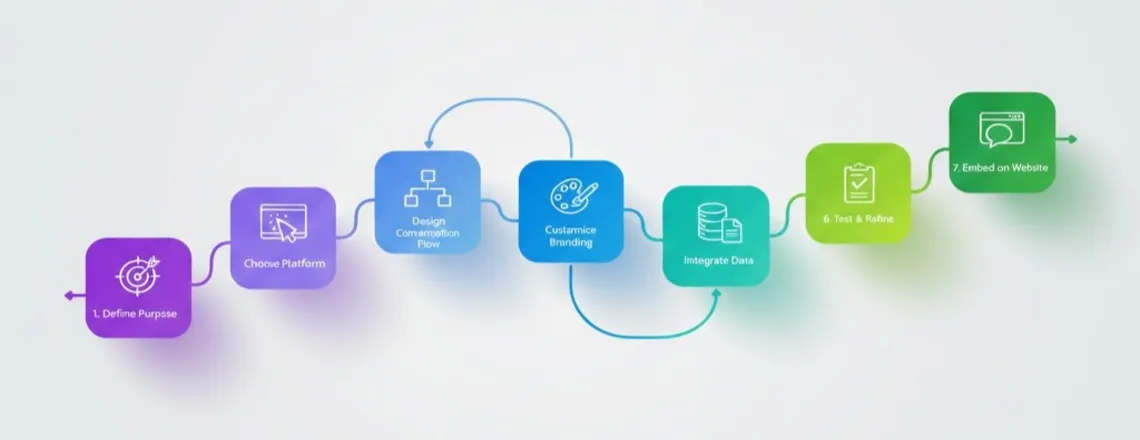
Step 1: Define Your Chatbot’s Purpose
Decide what problem your bot will solve:
- Answer FAQs
- Book appointments
- Qualify leads
- Provide order updates
- Collect feedback
Example: A salon focuses on booking and service info; an online store uses its bot for order tracking and product suggestions.
Step 2: Choose the Right Chatbot Builder Platform
Select a chatbot builder based on your goals.
For SMBs:
- Chatboq: Great templates and easy for beginners
- Tidio: Ideal for e-commerce automation
- Voiceflow: Best for advanced, multi-step flows
- ManyChat: Strong for Instagram/Facebook automation
What to evaluate:
- Pricing (free plans available?)
- CRM or e-commerce integrations
- AI features vs. rule-based logic
- Ease of use
- Customer support
Step 3: Design Your Conversation Flow
Create the structure of your website chatbot:
- Welcome message: Simple greeting with value
- Main options: Buttons for FAQs, pricing, or bookings
- Branching flows: Different paths for different user intentions
- Fallback answers: Responses to unexpected questions
- Human handoff: Connect to a real agent when needed
Most platforms include a drag-and-drop chatbot builder so you can visually map your entire customer conversation
Step 4: Customize and Brand Your Chatbot
Make sure your bot feels like part of your business:
- Use brand colors
- Add your logo
- Match your brand voice
- Add emojis or micro-copy personality
- Personalize with dynamic fields (like customer name)
Step 5: Connect Your Data Sources
Upload your content so the AI chatbot builder can provide accurate answers:
- Product catalog
- Help articles
- FAQs
- Policy documents
- Contact information
The bot uses this data to generate replies.
Step 6: Test Thoroughly
Before going live, test your chatbot:
- Try different ways of asking the same question
- Verify all links
- Check for grammar and clarity
- Test for both mobile and desktop
- Ask teammates to test as well
Step 7: Embed on Your Website
Your chatbot is activated by pasting a simple embed code:
<script src=”chatbot-embed-code”></script>
Place it in your website header or install a WordPress plugin. Your chatbot builder, with no coding required setup, is complete.
Best Practices for Business Chatbots
- Set clear expectations upfront: Tell users they’re talking to a bot, not someone hiding behind a fake name.
- Keep conversations short: Limit messages to 60-90 characters. Users prefer quick, scannable responses.
- Provide escape routes: Always offer options to contact a human agent for complex issues.
- Update regularly: Review conversation logs monthly to identify gaps in your bot’s knowledge. Update responses based on real customer questions.
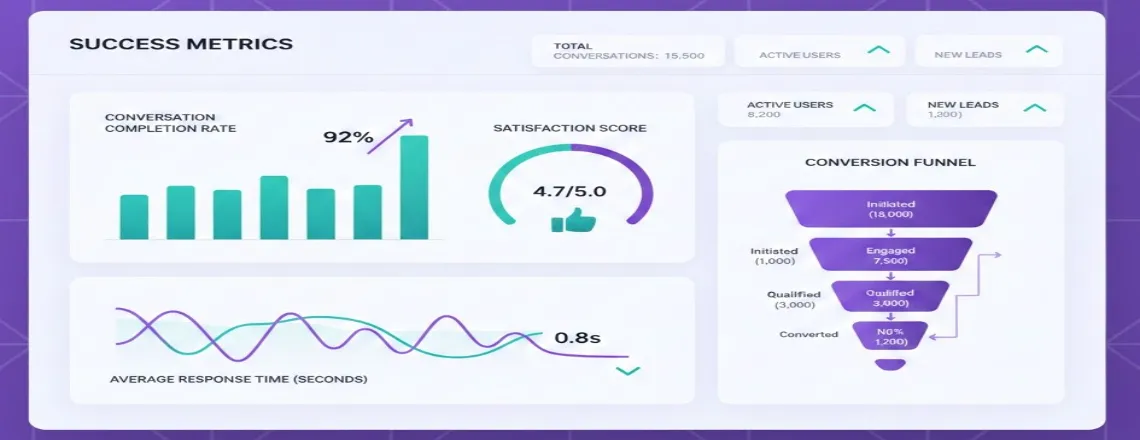
- Monitor performance metrics:
- Response accuracy rate
- Conversation completion rate
- User satisfaction scores
- Conversion/goal completion rates
Start with one specific use case (like FAQ automation) and expand gradually. This best chatbot builder for small businesses approach ensures quality over rushed deployment. Understanding both the benefits and potential risks and disadvantages of chatbots helps you build a more effective and user-friendly solution
Common Mistakes to Avoid
Here are the mistakes explained in simple sentences each:
- Over-complicated flows: If your chatbot is too complex, users get confused and drop off quickly.
- No human support option: Always offer a way to reach a real person when the chatbot can’t help.
- Ignoring mobile design: Most users are on phones, so your chatbot must work smoothly on mobile.
- Outdated information: Old or incorrect answers break trust and frustrate customers.
- Technical jargon: Use simple, clear language so every user understands your messages.
- No clear calls to action: Guide users toward the next step instead of leaving them unsure what to do.
Launch with a simple, focused custom chatbot and expand as you learn from real user behavior.
Free vs. Paid Chatbot Builders: What You Need
A free chatbot builder usually includes:
- 100–500 conversations
- Basic templates
- Single-site usage
- Community support
- Platform branding
Paid plans add:
- Unlimited messages
- Advanced AI features
- Shop, CRM, and calendar integrations
- Branding removal
- Better analytics
- Priority support
Start free, then upgrade once your bot handles a high volume of conversations or you need more integrations.
Real Business Use Cases
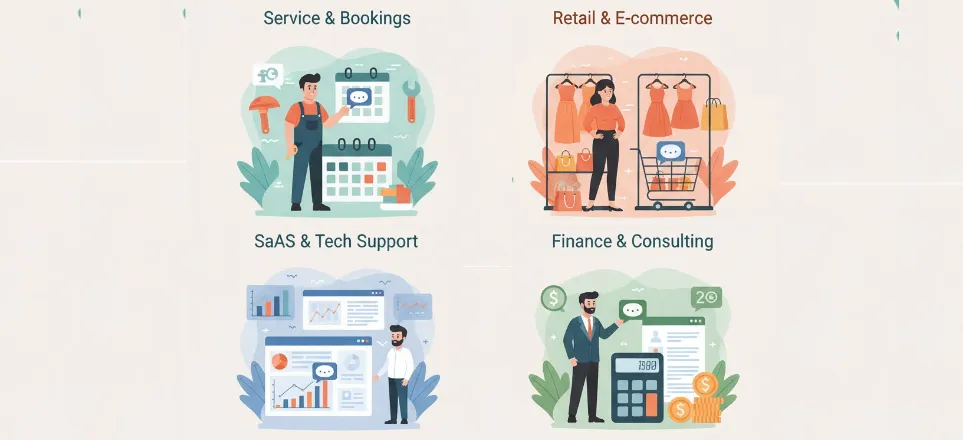
Here are some examples of use cases of chatbot builders in different industries:
1. Local service business (Plumbing company)
The bot handles appointment scheduling, emergency triage, and service area questions. Result: 40% reduction in phone calls, appointments booked outside business hours.
2. E-commerce store (Fashion boutique)
Custom chatbot recommends products based on style preferences, answers sizing questions, and tracks orders. Result: 23% increase in conversion rate from bot-assisted visitors.
3. SaaS company (Project management tool)
Handles demo bookings, answers pricing questions, and provides tutorial links. Result: 35% more qualified leads reaching the sales team.
4. Professional services (Accounting firm)
Screens potential clients, provides service information, and books consultations. Result: Saved 10 hours/week on initial client inquiries
Integration with Your Business Tools
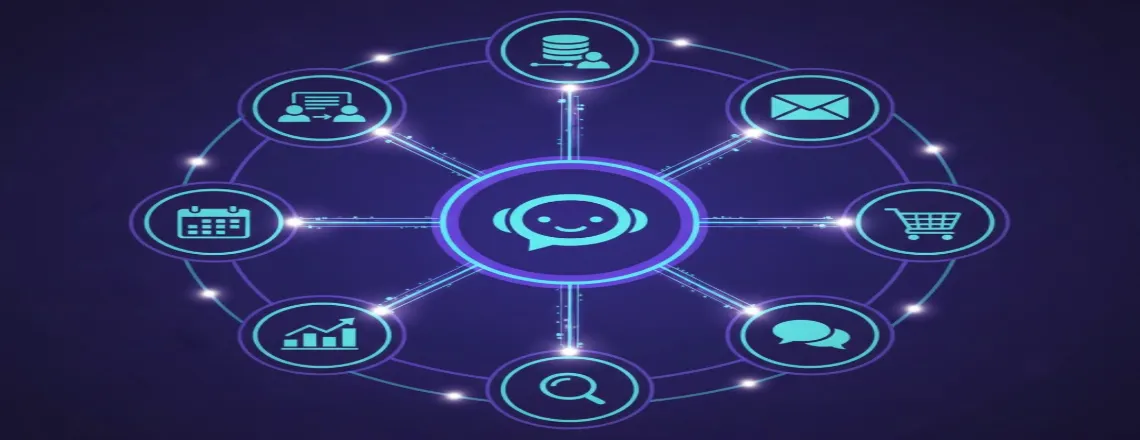
A modern chatbot builder integrates with your existing systems:
Here are simple one-sentence explanations for each point:
- CRMs (HubSpot, Salesforce, Pipedrive): The chatbot can automatically send lead details and conversations into your CRM, so your team always has updated information.
- Email tools (Mailchimp, Klaviyo): They can add new contacts or trigger email campaigns based on user feedback.
- E-commerce (Shopify, WooCommerce): The chatbot can pull product data, check orders, and help customers shop directly from your store.
- Calendars (Calendly, Google Calendar): They can book meetings or schedule calls instantly without human help.
- Analytics (Google Analytics): You can track chatbot interactions to see what users click, ask, or do.
- Support tools (Zendesk, Intercom): The chatbot can create tickets or hand off chats to your support team when needed.
Most require just one click, no coding needed. This turns your business chatbot into an automation powerhouse.
Getting Started Today
Ready to create a custom chatbot for free and see results?
Your 30-minute action plan:
- Sign up for a no-code chatbot builder (Chatboq, Tidio, or similar)
- Choose a pre-built template matching your industry
- Customize with your brand colors and logo
- Write 5-10 common customer questions and answers
- Test with team members
- Embed on your website
- Monitor the first week of conversations
Start simple. You can always add complexity later. For agencies managing multiple clients, discover how to scale your chatbot offerings with our chatbot solutions for agencies.
Frequently Asked Questions (FAQs)
Using a chatbot builder with no coding required, you can launch a basic bot in 30-60 minutes. Complex bots with multiple integrations might take 2-3 days to perfect.
No. Modern platforms are designed for non-technical users with drag-and-drop interfaces and pre-built templates. If you can use Google Docs, you can build an AI chatbot without coding.
Free tiers exist for small businesses (100-500 conversations/month). Paid plans range from $15-$100/month depending on features and conversation volume.
Yes. Most website chatbot solutions are fully responsive and work seamlessly on phones and tablets.
Quality chatbot maker platforms include fallback options that either provide related help articles or connect users to a human agent.
Track metrics like conversation completion rate, customer satisfaction scores, lead conversion rate, and support ticket reduction.
Yes. Many free chatbot builder platforms let you create a custom chatbot with basic features, templates, and limited monthly conversations perfect for testing before upgrading.
Absolutely. A modern drag-and-drop chatbot builder includes AI features, templates, and automation tools, allowing you to build an AI chatbot without coding in minutes.
For most SMBs, yes — an AI chatbot builder can handle automations, FAQs, lead capture, and website support without needing a developer, making it ideal for small business use cases.
Yes. A website chatbot created through a no-code chatbot builder can be embedded on WordPress, Shopify, Wix, custom sites, and more using a simple copy-paste script.

Daniel Wong
Technical Content Writer
My name is Daniel Wong, a Technical Content Writer from Singapore with a strong interest in AI-powered tools and digital automation. At ChatBoq AI, I focus on creating practical and easy-to-follow content that helps businesses and individuals understand how chatbots work and how to use them effectively.
I enjoy breaking down complex topics like natural language processing (NLP) and conversational AI into simple guides that anyone can follow. Each article is based on careful research, real-world examples, and testing to ensure accuracy and reliability.
Through ChatBoq AI, my goal is to provide readers with trustworthy insights, step-by-step tutorials, and the latest trends in chatbot technology.
✍️
Expert in AI & Chatbot Technology

Leave A Comment