10 Must-Have Chatbot Features for Your Business
Running a business in 2025 without a chatbot is like trying to compete with one hand tied behind your back. Not all chatbots are created equal. Some bring in leads and keep customers happy, while others just sit there, doing nothing.
📑 Table of Contents
The difference is in the chatbot features you choose. The right ones can make your chatbot a real business booster.
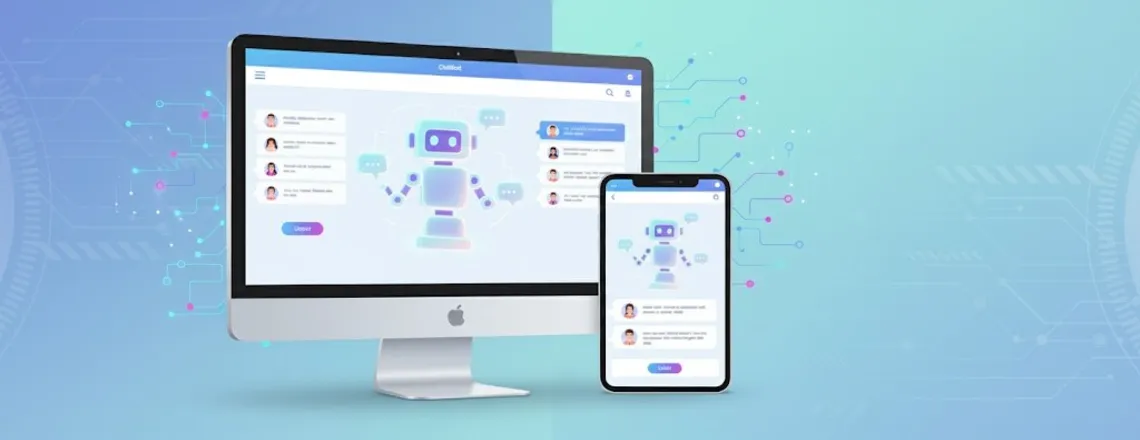
This guide covers 10 must-have chatbot features that actually work with real examples of what’s successful and what’s not. Whether you sell products online, run a service, or manage any business, these chatbot features can change the game.
Key Highlights
| Essential chatbot features to boost business. AI-powered tools improve customer support efficiency. Omnichannel integration ensures a seamless user experience. Analytics dashboards track performance and engagement. Testing and customization enhance chatbot effectiveness. |
Why Chatbot Features Matter for Your Business
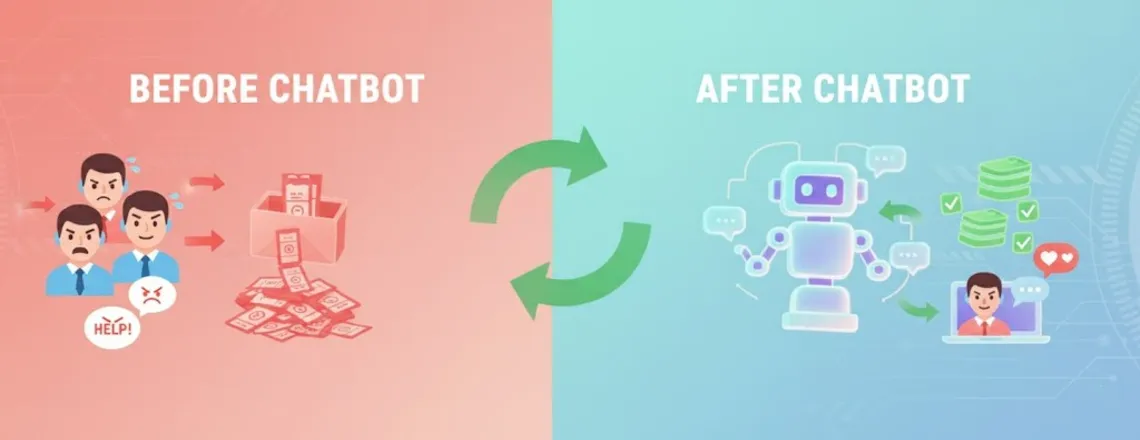
Picking the right chatbot for your business isn’t rocket science, but you do need to know what actually works. Right now, your support team answers the same questions repeatedly, while potential customers bounce without talking to anyone. That’s money slipping away.
Good chatbot features fix this problem effectively. Studies show 64% of people love chatbots because they never sleep, and businesses cut response times by 30% with AI-powered support.
The best chatbots don’t just respond fast. They also:
- Grab leads automatically while people browse
- Guide customers through buying without human help
- Stop support tickets from piling up
- Talk to each visitor like they matter
With the right features, your chatbot isn’t just a chat box. It’s a system that works while you sleep, boosts revenue, keeps customers coming back, and frees your team to focus on what really matters.
Top 10 Must-Have Chatbot Features
1. Natural Language Processing (NLP)
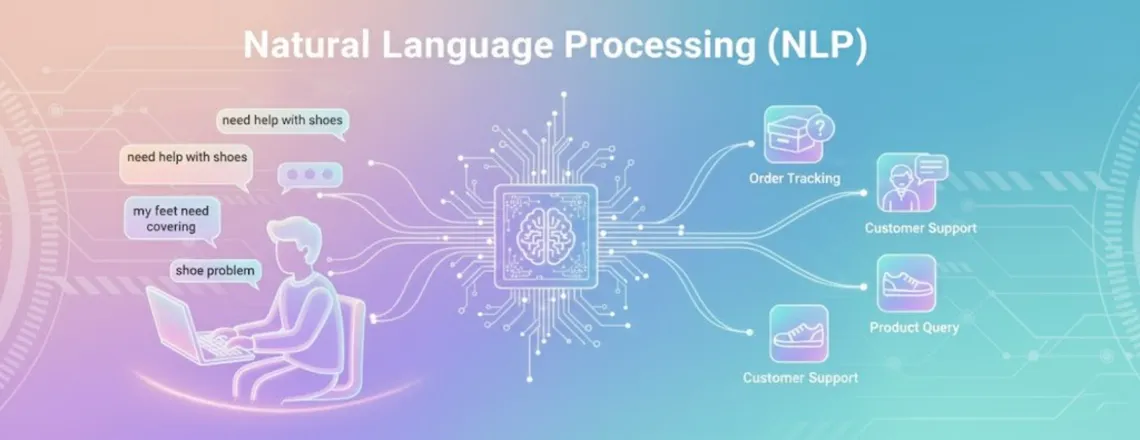
Natural Language Processing (NLP) is a must-have chatbot feature that helps your chatbot understand what people are really saying.
For example, someone types “need help with shoes.” A bot with NLP knows they want product help. Another type, “where’s my shoes?”, the bot understands that they’re tracking an order.
Without NLP, your chatbot just takes everything literally. Customers repeat themselves and still don’t get answers.
Chatboq uses advanced NLP with conversational AI features powered by AI conversational models. It understands context and intent right away, so customers get real help the first time with no confusing robot talk. Other platforms, like Intercom, offer NLP, but often at extra cost. With Chatboq, it’s built in from day one.
It makes chats feel natural and keeps customers happy to talk to your chatbot.
2. Omnichannel Integration
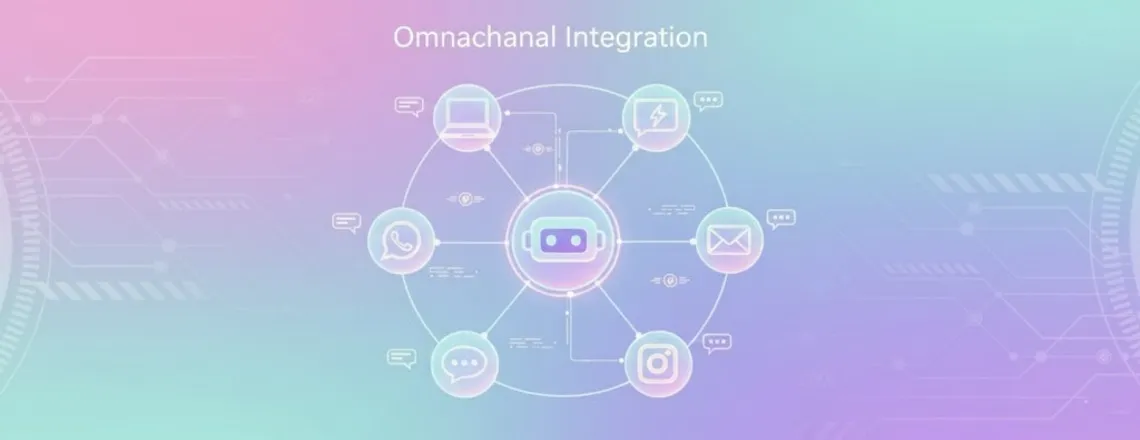
Your customers don’t live on just your website anymore. They reach out on Facebook, WhatsApp, Instagram, and email. Omnichannel chatbot integration makes sure a smooth and personalized user experience across web, social, and email channels. This is another key must-have chatbot feature, ensuring your chatbot follows them everywhere. A chat starts on your site and is smoothly continued on WhatsApp as if nothing happened.
This matters because 73% of customers switch between channels while they’re buying. When your chatbot can’t keep up, you lose the whole conversation.
Chatboq plugs into websites, social platforms, messaging apps, and email without breaking a sweat. You control everything from one spot instead of juggling five different dashboards.
Drift and HubSpot Chatbot do omnichannel stuff too. But they lock features behind expensive plans. Chatboq gives you everything without making you upgrade every two seconds.
Your customers move fast between channels. Your chatbot had better keep up or get left behind.
3. AI-Generated Responses
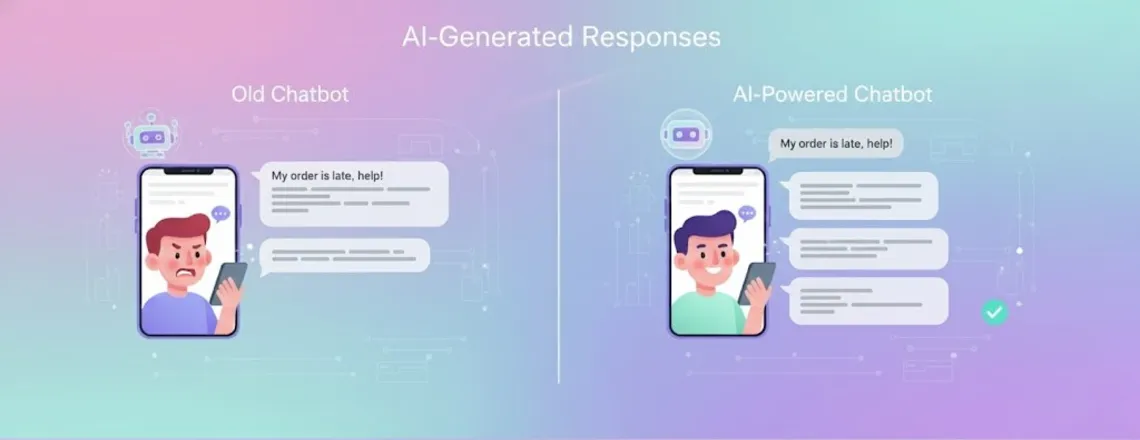
AI-generated responses are part of the chatbot features that use Large Language Models to write personalized replies on the spot. Your chatbot stops pulling from boring scripts. Think about real customer questions. Nobody asks simple yes-or-no questions anymore. They ask things like “What’s different between your plans for my team size?”
Old chatbots get stuck here. They provide generic answers or transfer people to a human agent. AI-powered responses can actually explain differences, point out features, and recommend the right fit.
Chatboq uses LLMs to create responses that sound human. The bot learns from every chat and gets smarter over time. This doesn’t mean firing your support team. It means the bot handles boring stuff, so your staff tackles hard problems. Companies using AI-generated responses see 40% fewer tickets clogging up their queue.
Zendesk Answer Bot does similar things, but only on their expensive enterprise plans. Chatboq brings AI responses to businesses that don’t have unlimited budgets.
4. Multi-Language Support
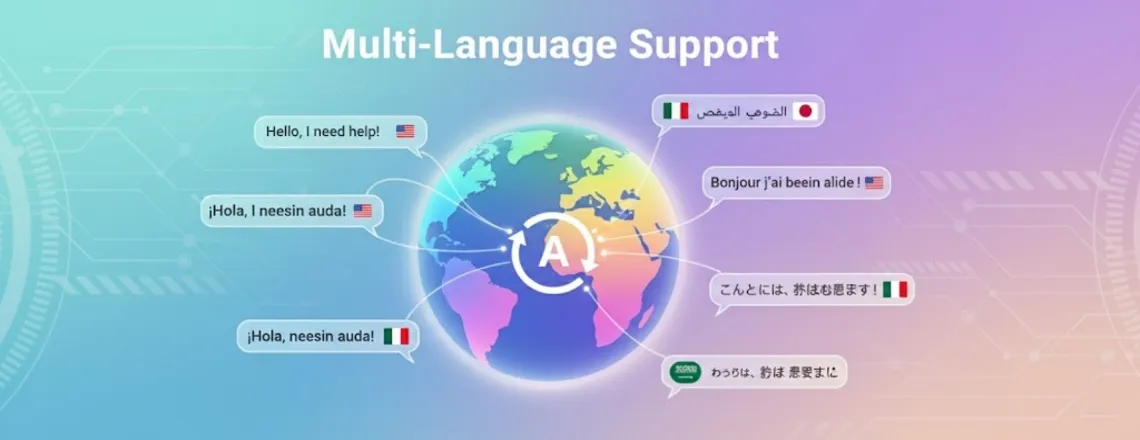
Multi-language support is a vital chatbot feature that allows your bot to communicate in multiple languages automatically. You can sell globally right away. 76% of online shoppers want product info in their own language. If your chatbot only speaks English, you’re losing three out of four potential customers.
Chatboq handles over 50 languages with automatic translation built in. A customer in Spain gets Spanish. Someone in Japan sees Japanese. You don’t build separate bots for each country.
Tidio and ManyChat offer multi-language features, but they charge per language. It adds up quickly when dealing with global customers.
The best part is that your team doesn’t have to know 50 languages. The chatbot translates everything automatically while keeping your brand voice intact. Language shouldn’t stop you from making sales in 2025.
Go global with Chatboq’s multi-language magic. Start now.
5. Human Handoff and Live Chat Integration
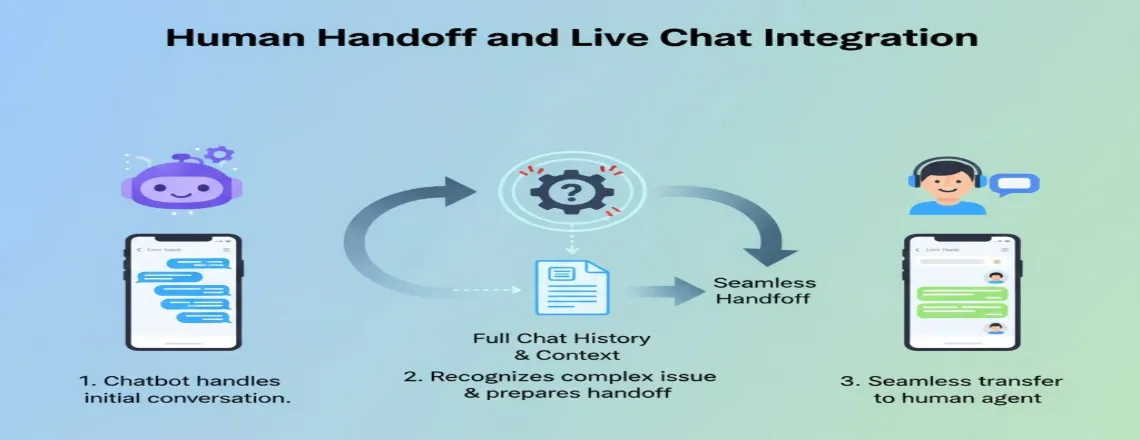
Human handoff is an important chatbot feature to ensure seamless transfer to live agents when needed. Customers need real people eventually. Human handoff means your bot knows when to pass conversations to your team. This happens smoothly with all the chat history coming along. 86% of customers want a human if a bot struggles. Without a smooth handoff, they get frustrated.
Chatboq makes transfers feel natural as breathing. When the bot can’t help anymore, it connects customers to available agents with complete context. Your team sees everything the customer already said.
Zendesk Answer Bot and LiveChat do human handoff, too. But the switch feels clunky. Customers repeat their whole story because agents can’t see what happened.
Great chatbot functionality means knowing when to step back. The bot helps where it can, then hands off clean when it should. Your customers don’t care if they’re talking to a bot or a human. They just want their problem solved fast.
6. Proactive Messaging
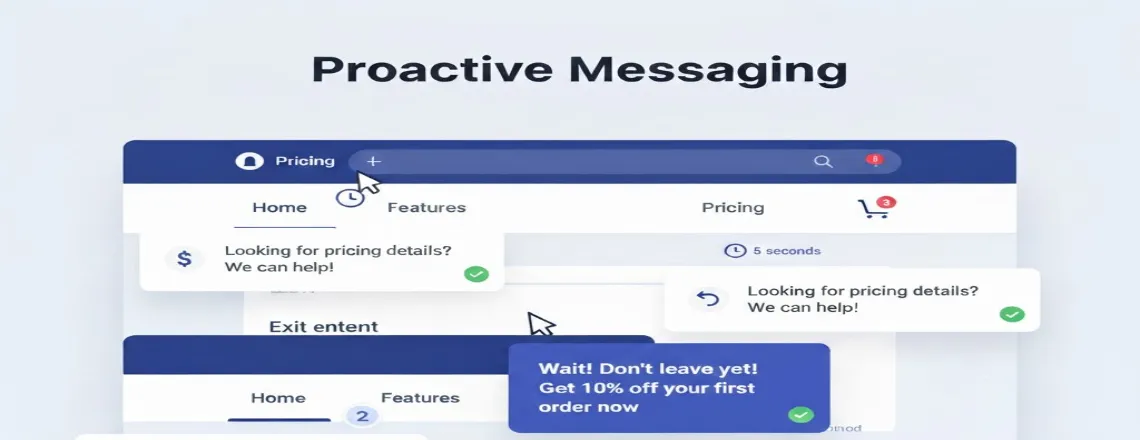
Proactive messaging is another of the must-have chatbot features that changes everything. Your chatbot starts the conversation instead of waiting. This changes the game for engagement. When someone stares at your pricing page for 30 seconds? Your bot offers help. Someone abandons their cart? The bot follows up with a message.
Online stores using proactive messaging see 20% higher conversion rates. The chatbot examples that crush it use triggers like:
- Time on page (jump in after 20 seconds)
- Exit intent (catch people before they bail)
- UTM parameters (greet visitors from ads)
- Scroll depth (engage when they hit key content)
Chatboq lets you set unlimited triggers based on what visitors do. You control when and how your bot reaches out. Drift invented proactive messaging but charges ridiculous prices for basic triggers. Chatboq gives you complete control without emptying your wallet.
Don’t sit around waiting for customers to find your chat button. Start helpful conversations when the moment’s right.
7. Chatbot Analytics Dashboard
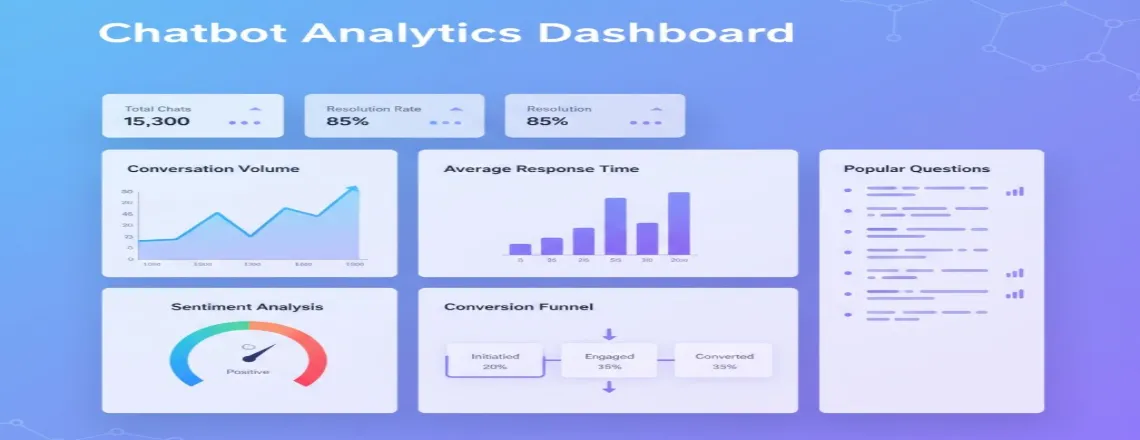
You can’t fix what you can’t see. A chatbot analytics dashboard shows exactly how your bot performs.
Good analytics tell you:
- How many chats does your bot handle each day
- Which questions pop up most often
- Where conversations die or frustrate people
- Conversion rates from bot interactions
- Sentiment analysis of customer vibes
Chatboq gives you real-time analytics with visual reports that make sense. See which messages work, which bomb, and where to improve.
The dashboard tracks everything from basic stuff like response time to complex data like where conversations drop off. This helps you sharpen your chatbot automation over time.
HubSpot Chatbot has analytics, but only shows basic metrics unless you upgrade. Chatboq gives you deep insights from the start. Understanding your chatbot performance turns okay bots into great ones. Data shows exactly where to focus your energy.
Track what actually matters with Chatboq’s analytics. Try it free.
8. Customization and Branding
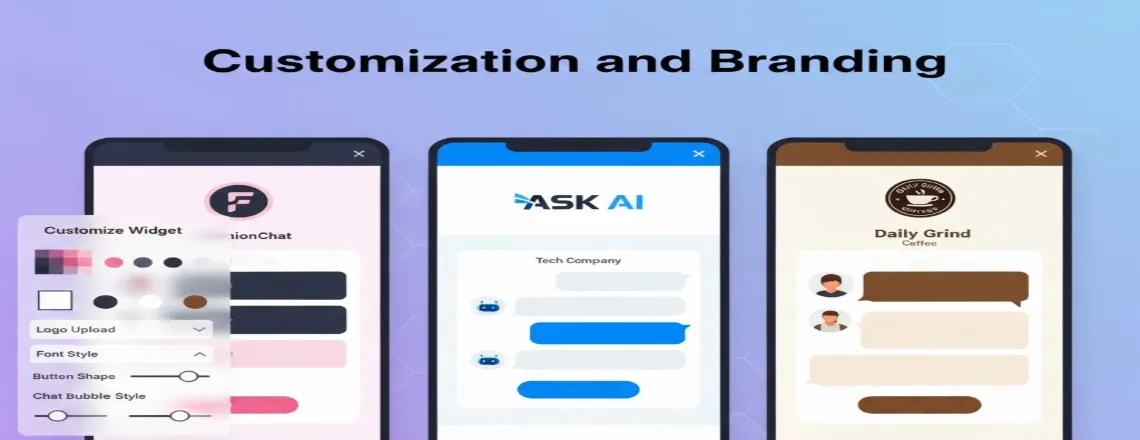
Your chatbot should look and sound like your brand, not some random robot.
Customization and branding features let you control:
- Chat widget colors and where it sits
- Welcome messages and how the bot talks
- Button styles and interactive stuff
- Your logo and brand images
- Rich media like carousels, forms, and quick replies
Generic chatbots stand out for the wrong reasons. They hurt the user experience instead of helping it.
Chatboq offers full customization without needing coding skills. Match your brand colors, write messages in your voice, and design the chat experience you want. Chatfuel and LiveChat provide customization options, but limit design choices on cheaper plans. Chatboq lets you brand everything completely.
The best chatbot capabilities include making the bot feel like it belongs on your site. Customers shouldn’t notice they’re talking to a bot just by how it looks. Your brand shows up everywhere your customers interact. Chatbots should feel the same.
9. Lead Generation and Sales Automation
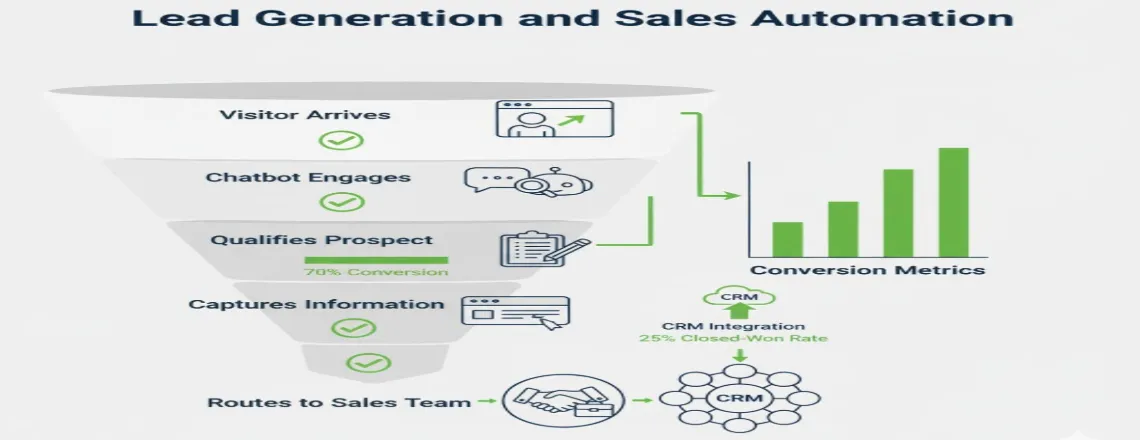
Lead generation and sales automation are must-have chatbot features that do way more than chat. They qualify prospects, grab information, and send leads to the right salesperson.
For example, A visitor visits your pricing page. The bot asks a few questions, grabs their info, and then books a demo or suggests the right product. All of this happens automatically while your sales team closes actual deals.
Chatboq has built-in lead qualification flows and CRM integration. Captured leads sync instantly with your sales tools, complete with everything discussed. HubSpot Chatbot offers solid lead generation features, but you need their expensive CRM to use them fully. Chatboq works with whatever CRM you already have.
Businesses using chatbot workflows for lead generation see 50% more qualified leads compared to boring forms. The conversational approach just works better. Your chatbot should be your hardest-working salesperson. It never sleeps, never takes breaks, and qualifies leads around the clock.
10. Testing and Conversation Preview
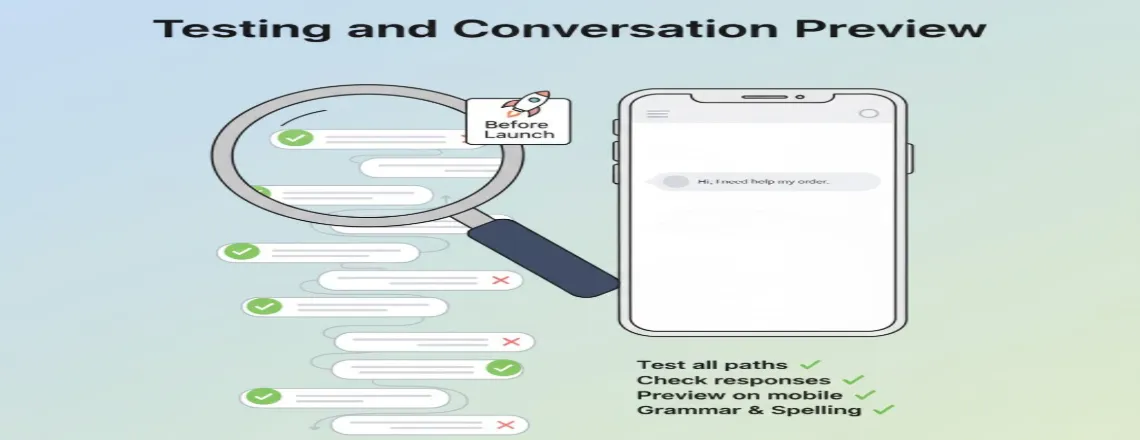
Testing and conversation preview are essential must-have chatbot features to ensure your chatbot works perfectly before talking to real customers.
Testing and conversation preview features let you:
- Walk through every possible chat path
- Spot confusing responses or dead ends
- Make sure handoffs work right
- Test different message versions
- Preview how the bot looks on phones and computers
Chatboq includes a complete testing environment with conversation preview. See exactly what customers experience before you go live. The platform also supports version management, so you can test changes without breaking your live bot. This human-in-the-loop approach keeps quality high.
Many bot-building platforms skip testing features entirely. They expect you to learn by messing up with real customers. Testing on real customers is dangerous. Chatbot training and testing stop embarrassing mistakes.
You catch problems in preview, not in actual customer conversations. A well-tested chatbot builds trust. A buggy one can destroy it instantly.
Launch with confidence using Chatboq’s testing tools. Start building now.
Quick Feature Comparison
See how Chatboq compares to Tidio and Intercom on best chatbot features like AI responses, multi-language support, lead generation, and analytics to find the best fit for your business.
| Feature | Chatboq | Tidio | Intercom |
| NLP | Advanced, contextual | Basic | Premium, limited in lower plans |
| Omnichannel | Web, Social, Email | Web + Social | Web + Social, premium features |
| AI Responses | LLM-powered | Rule-based | Premium AI only |
| Multi-Language | 50+ auto-translate | Paid per language | Limited to lower plans |
| Human Handoff | Smooth, full history | Basic | Full history (premium) |
| Analytics | Real-time, sentiment | Basic | Advanced (premium) |
| Lead Generation & CRM | Automated, integrated | Basic | Premium-focused |
Examples of Businesses Using These Features
Real businesses use these must-have chatbot features right now to grow and serve customers better.
E-commerce Company – Online Fashion Retailer
This retailer runs a chatbot with NLP and proactive messaging. When shoppers browse products, the bot offers recommendations based on what they’re viewing. If someone abandons a cart, proactive messaging follows up with a discount code.
Results: 35% increase in recovered carts and 28% higher average order value.
SaaS Company – Project Management Tool
A project management platform implemented a chatbot with AI-generated responses and lead qualification. The bot answers product questions, offers free trials, and sends qualified leads to sales reps.
Results: 50% drop in support tickets and 40% more demo bookings.
Healthcare Provider – Dental Practice Network
A dental practice network uses a chatbot with multi-language support and appointment booking. Patients schedule visits, get reminders, and ask basic questions in whatever language they prefer.
Results: 60% fewer phone calls and 25% decrease in no-show appointments.
Financial Services – Insurance Broker
An insurance broker deployed a chatbot with human handoff and analytics. The bot qualifies leads, explains policy options, and transfers complicated questions to licensed agents with full context.
Results: 3x increase in quote requests and 45% faster lead response time.
These chatbot examples show how the right features solve actual business problems. The pattern followed here is clear. Each business picked features that matched their specific needs.
How to Choose the Right Chatbot for Your Business
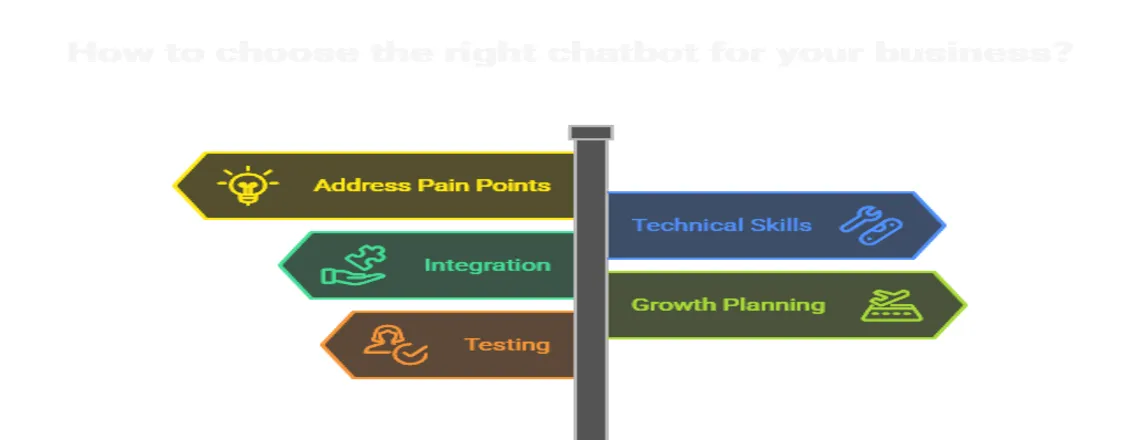
Picking the best chatbot features for your business comes down to asking smart questions.
Choose Features Based on Your Top Pain Points
Start with your top pain points to choose the features that solve them.
- Customer Support: Focus on NLP, human handoff, and 24/7 customer engagement
- Lead Generation: Focus on lead generation bots and CRM integration
- Global Customers: Use multi-language support
- Online Sales: Implement proactive messaging and sales automation
Consider your technical skills
Not every business has developers around. The best chatbot tools work without coding. Chatboq offers visual builders anyone can use, with zero technical background needed.
Platforms like Chatfuel require technical knowledge to use advanced features. That creates roadblocks for small businesses.
Check Integration Capabilities
Your chatbot should connect with tools you already use. Look for:
- CRM systems (Salesforce, HubSpot, Pipedrive)
- Email marketing (Mailchimp, ActiveCampaign)
- Help desk software (Zendesk, Freshdesk)
- Analytics tools (Google Analytics)
Chatboq integrates with over 100 business tools right out of the box. You won’t need expensive middleware or custom development.
Plan for Growth
Choose intelligent chatbot systems that scale with your business. What handles 100 conversations monthly might crash at 10,000.
Chatboq handles unlimited conversations without slowdowns or surprise charges. Your bot grows as your business grows.
Test before committing
Most platforms offer free trials, so take advantage of them. Build a simple bot, test all its features, and see if it meets your needs.
The right chatbot feels easy to use and solves your specific problems; if it doesn’t, keep looking.
Find the perfect fit for your business. Try Chatboq free for 14 days.
Conclusion
The chatbot features we covered aren’t extras anymore; they’re essential for modern businesses. From Natural Language Processing to proactive messaging, each feature serves a real purpose. Together, they create conversational AI that actually helps your customers and your business.
The best part is that you don’t need a high budget or technical team to start. Platforms like Chatboq make powerful chatbot functionality accessible to businesses of every size. Take time to figure out your needs, focus on features that solve your biggest challenges first, then expand from there.
Your customers expect fast, helpful, personalized service. These must-have chatbot features help you deliver that experience every single time.
Ready to add these features to your business? Start with Chatboq now and see the difference
Frequently Asked Questions (FAQs)
Small businesses need NLP, human handoff, lead generation, and analytics. These features handle support and capture leads without extra staff.
Chatboq works best for e-commerce with proactive messaging, multi-language support, and built-in cart recovery features.
AI-powered chatbots are part of the must-have chatbot features for practical support, while rule-based bots handle only simple tasks.
Omnichannel integration connects your chatbot across websites, social media, email, and messaging apps for consistent customer conversations.
NLP helps chatbots understand intent and context, not just keywords. This creates more natural, helpful conversations with customers.
Yes. Lead generation bots qualify prospects, collect contact information, and route qualified leads to sales teams automatically.
Human handoff transfers conversations from the bot to a live agent when needed. The agent receives the full conversation history for context.
Business chatbot costs range from free basic plans to over $500 monthly. Chatboq offers affordable pricing with all essential features included.
Chatbot analytics should track conversation volume, response accuracy, conversion rates, drop-off points, and customer sentiment data.
Yes. Modern chatbots like Chatboq work seamlessly on mobile, desktop, and tablet with a responsive design and mobile app support.
Advanced chatbots support multi-language conversations with automatic translation. Chatboq handles 50+ languages without additional charges or setup.
Rule-based chatbots follow predefined scripts. AI chatbots use machine learning to understand context and generate dynamic responses naturally.

Daniel Wong
Technical Content Writer
My name is Daniel Wong, a Technical Content Writer from Singapore with a strong interest in AI-powered tools and digital automation. At ChatBoq AI, I focus on creating practical and easy-to-follow content that helps businesses and individuals understand how chatbots work and how to use them effectively.
I enjoy breaking down complex topics like natural language processing (NLP) and conversational AI into simple guides that anyone can follow. Each article is based on careful research, real-world examples, and testing to ensure accuracy and reliability.
Through ChatBoq AI, my goal is to provide readers with trustworthy insights, step-by-step tutorials, and the latest trends in chatbot technology.
✍️
Expert in AI & Chatbot Technology

Leave A Comment