
Discord AI Chatbots: Features, Setup & Benefits
Discord has over 200 million active users and 6.7 million servers each month. It’s now used not just by gamers but also by communities, businesses, classrooms, and hobby groups. As servers grow, managing them, especially answering the same questions repeatedly, can quickly become overwhelming, making chatbots very useful.
📑 Table of Contents
- Discord AI Chatbots: Features, Setup & Benefits
- Key Highlights
- What is a Discord Chatbot?
- Top Benefits of Discord AI Chatbots: Automation & Engagement
- Types of Discord Chatbots: AI, Moderation & Utility
- Step-by-Step Guide to Set Up a Discord Chatbot
- Best Practices for Discord AI Chatbots & Server Automation
- Conclusion: Boost Discord Engagement with AI Chatbots
- Frequently Asked Questions (FAQs)
A chatbot for Discord makes managing your server much easier. It can handle tasks like answering repeated questions by different users. Imagine how tiring it can be to answer the same question repeatedly.
With Chatboq, you can easily build and set up an automated chatbot/AI assistant that helps you automate tasks without needing human moderators to be always online. Try Chatboq today and make managing your Discord server simple.
Key Highlights
- What is a Discord Chatbot
- Benefits of Using a Chatbot for Discord
- Types of Discord Chatbots
- A Step-by-Step Setup Guide
- Best Practices for Discord Chatbot Management
What is a Discord Chatbot?
A Discord chatbot is an AI-powered program that interacts with users on your server. In simple terms, it is a virtual assistant that communicates with users using AI. They are designed to perform various tasks like responding to messages, playing music, answering questions, and carrying out instructions based on preset guidelines or AI.
Some common features of Discord chatbots are:
- It is a virtual assistant that is always ready to respond without needing any rest.
- It can automate boring tasks like welcoming new members and answering FAQs.
- They help in managing and structuring a Discord server.
- They are a conversational AI that can quickly find and provide personalized responses.
- Some modern Discord chatbots can learn from interactions and improve their responses.
Top Benefits of Discord AI Chatbots: Automation & Engagement
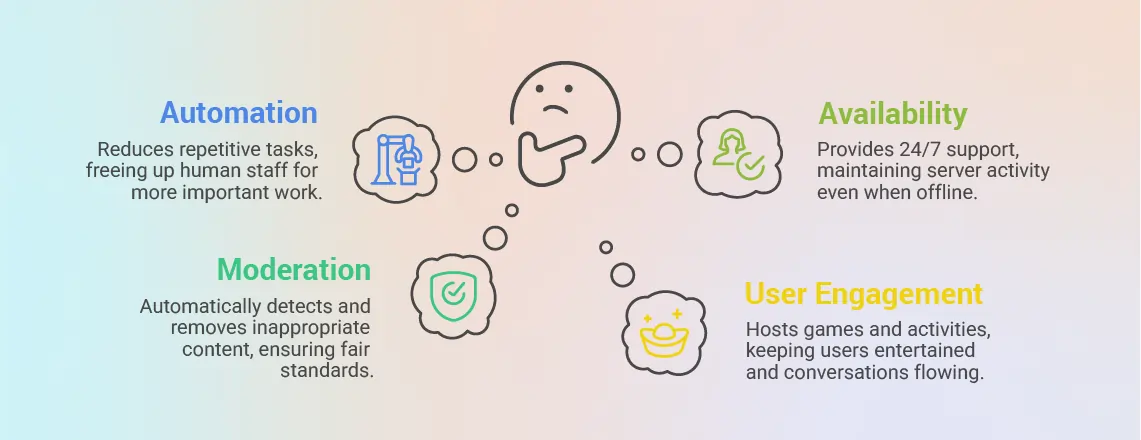
Using an AI-powered chatbot for Discord has several advantages that help in improving the functioning and user experience of your server. By using an interactive chatbot, you can free up your human employees to work on more important tasks. The main benefits of implementing a chatbot are enhanced user engagement, increased efficiency, and reliability.
Automation
Discord moderators spend a lot of time on repetitive tasks like welcoming new members, answering the same questions, and moderating chats. But chat automation software can automatically do these repetitive tasks, giving human staff more time to focus on more important tasks.
Moderation
Users may write some inappropriate information in chats and messages, which takes time for human staff to notice and take action. But a chat moderation software can automatically detect and delete inappropriate content. They can also track user activity to check for user behaviour and ban them if necessary. They are also fair as they follow the same predefined standard for every user.
User Engagement
Interactive chatbots can also host games, polls, and other fun activities, which help users stay entertained. They also keep the conversation going by offering the next steps, suggesting topics related to the asked questions, or offering further assistance.
Availability
Chatbots are always available and do not need rest. They can be available 24/7 to answer any queries you need instantly. They also make sure that your servers are maintained even when you are offline or resting.
As Discord not only has gamer communities but also other communities, they benefit from Discord chatbots in different ways. They are used for tracking players’ stats and integration with game APIs by gaming servers. They are used by educational communities for sending reminders for assignments, sharing resources, and organizing study groups, and are also used by businesses for customer support, generating leads, where tools like Chatboq help implement AI-powered solutions for each server’s needs.
Types of Discord Chatbots: AI, Moderation & Utility
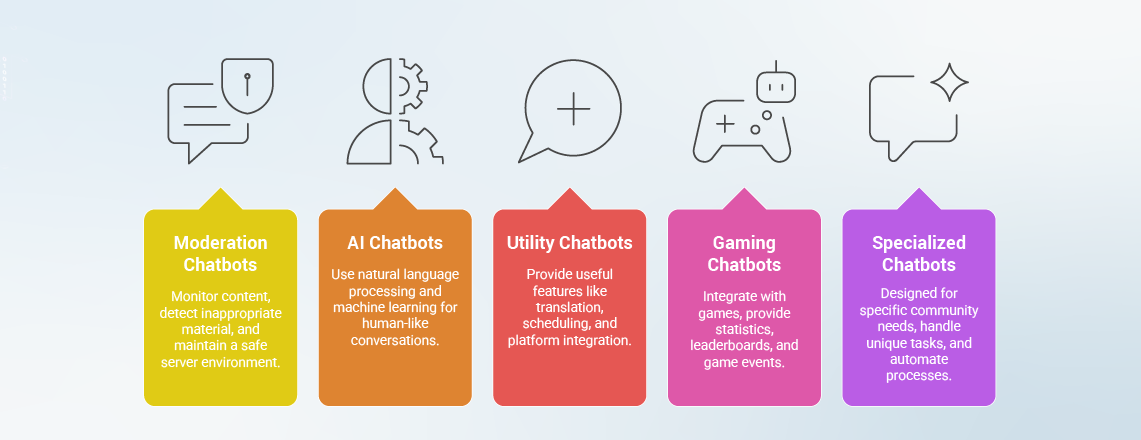
Discord chatbots are different and come in many forms, with each type designed for a different purpose. Knowing what they are and their features can help you in finding the type of chatbots you need. Here are the main types of AI chatbots for Discord:
1. Moderation Chatbots

Moderation chatbots are mainly used for monitoring any type of inappropriate content. They automatically detect and flag or delete the content and maintain a safe server environment
2. AI Chatbots

AI chatbots or conversational AI use natural language processing and machine learning to provide users with a human-like conversation.
3. Utility Chatbots
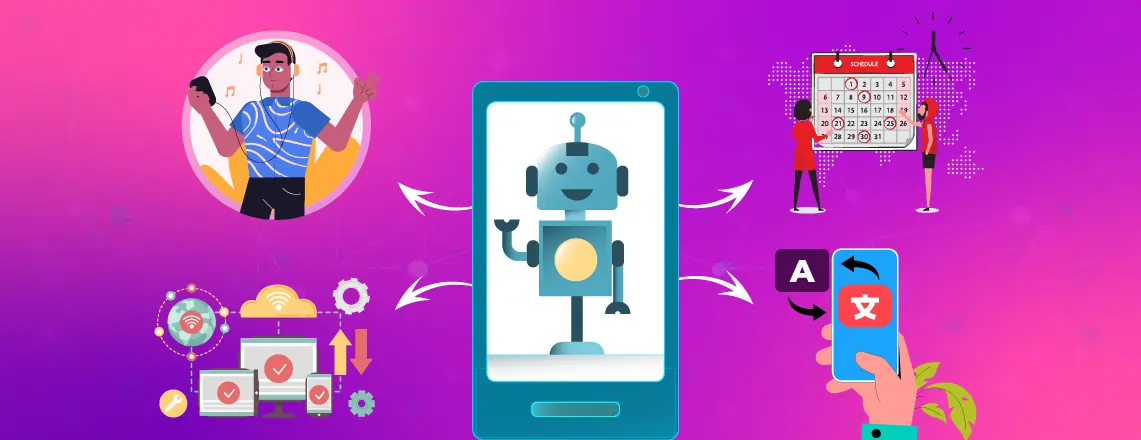
These types of chatbots provide various useful features like translation, streaming audio, help with scheduling, and integration with other platforms.
4. Gaming Chatbots
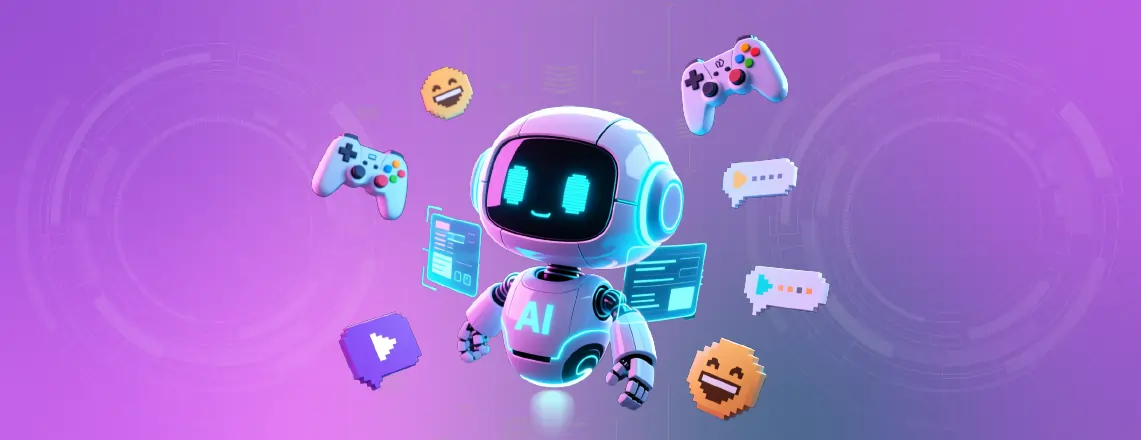
These types of chatbots are specially made for integration with popular games and provide real-time statistics, a leaderboard, and game events.
5. Specialized Chatbots
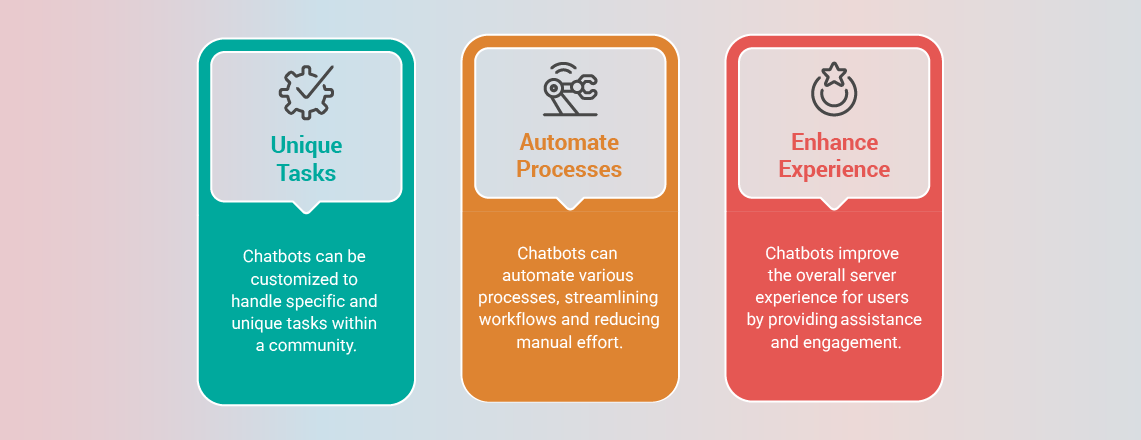
This type of chatbot is designed for specific community needs and can be customized to handle unique tasks, automate processes, and enhance the overall server experience.
Step-by-Step Guide to Set Up a Discord Chatbot

Adding a custom Discord chatbot to your server is easy and can make managing your community much smoother with automation and AI features. This guide will take you step by step so you can get your chatbot up and running without any problems.
1. Get Started With Chatboq
- Visit the official Chatboq website or top.gg.
- Choose Chatboq from the available Discord AI chatbots.
- Click the “Install” or “Invite Chatboq” button.
- Log in to your Discord account if needed.
- Select your target server from the dropdown menu.
For others: After selecting a chatbot, you can follow the same steps, but the button may be different, such as “Invite” or “Add”
2. Grant Permissions
- Authorize Chatboq with the required Discord permissions
- Review permission requests (Send Messages, Read Messages, Manage Messages)
- Grant Embed Links and Read Message History access
- Enable Use Slash Commands functionality
- Ensure you have “Manage Server” or “Administrator” permissions
- Click “Authorize” to complete server integration
For others: All chatbots require permission like Send Messages, Read Messages, Manage Messages, Embed Links, Read Message History, and Use Slash Commands, but some may require more or fewer permissions depending on their functions (such as music chatbots need voice channel access).
3. Configure Chatboq’s AI Settings
- Access Chatboq Web Dashboard or use the “/chatboq setup” command
- Set conversation style (casual, professional, or custom personality)
- Configure response length preferences (brief, detailed, adaptive)
- Choose primary language and regional settings
- Specify active channels for Chatboq monitoring
- Enable context memory for ongoing conversations
For others: Some chatbots may not have advanced settings like conversation style, adaptive personality, and context memory. These settings are only found in AI chatbots like Chatboq or ChatGPT.
4. Optimize Chatboq Community Features
- Enable Smart Moderation with AI-powered content filtering
- Configure welcome messages for new members
- Set up the FAQ response automation system
- Customize educational assistant capabilities
- Define topic filtering and content guidelines
- Integrate with server roles and permission structure
For others: You can enable smart moderation, welcome messages, FAQ automation, or role integration work for most chatbots. Fun, educational, or specialized modes are specific to chatbots that support advanced AI or custom Discord chatbot features.
5. Advanced Customization
- Fine-tune personality to match community culture
- Configure channel-specific behavior patterns
- Set up learning preferences and interaction rules
- Enable specialized modes (Educational, Professional, Creative)
- Configure response triggers and engagement rules
- Monitor AI performance and conversation quality
For others: Most ready-made chatbots allow some degree of customization, but AI-specific personality training and context memory are usually unique to AI chatbots.
6. Launch and Monitor
- Deploy Chatboq across your Discord server
- Test natural conversation capabilities with various topics
- Train community members on effective AI interaction
- Monitor conversation quality and member feedback
- Adjust settings based on actual usage patterns
- Scale features as your community grows and evolves
For others: Deploy the chatbot, test its features, monitor performance, gather feedback, and adjust settings as your server grows.
Best Practices for Discord AI Chatbots & Server Automation
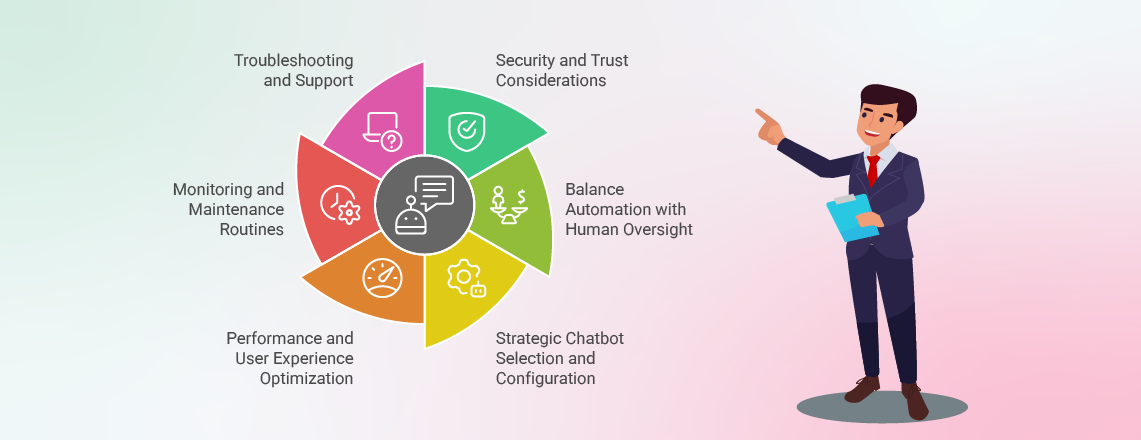
After setting up your chatbot for Discord, it’s necessary to keep in mind that installation is only the first step. By following the best practices, you can make sure your chatbot improves user experience, maintains server security, and runs properly. Some important best practices are listed below:
Security and Trust Considerations
You should only install chatbots from trustworthy developers and carefully review their permissions. You should also regularly audit and remove any unused chatbots, especially chatbots that require sensitive access.
Balance Automation with Human Oversight
Chatbots can manage simple tasks, but complicated tasks should be managed by human moderators.
Strategic Chatbot Selection and Configuration
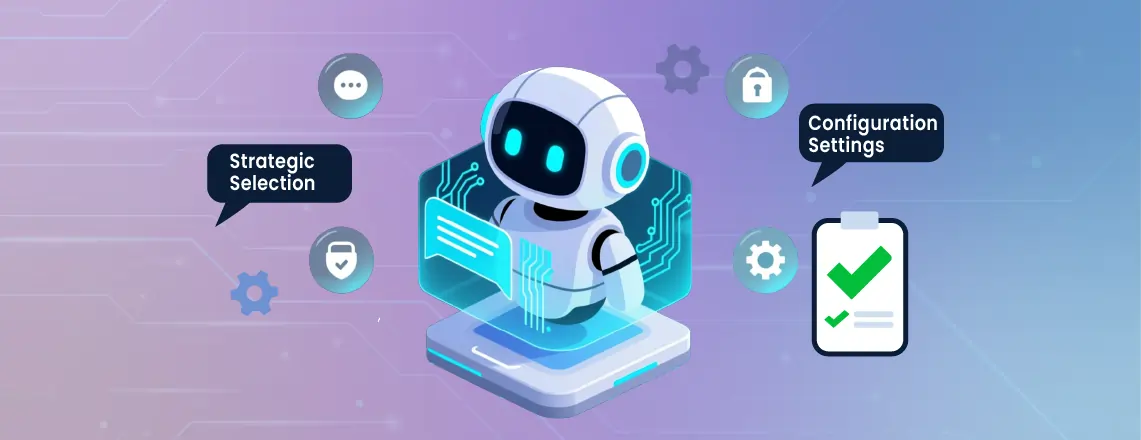
You should set rate limits and use specific chatbots to prevent spam, use direct messages for long responses, and review logs for performance issues.
Performance and User Experience Optimization

You should avoid overloading your server by using too many chatbots and prioritize chatbots that complement each other.
Monitoring and Maintenance Routines

You should review logs weekly, check performance monthly, evaluate usefulness quarterly, update settings as the community grows, and audit permissions for security.
Troubleshooting and Support
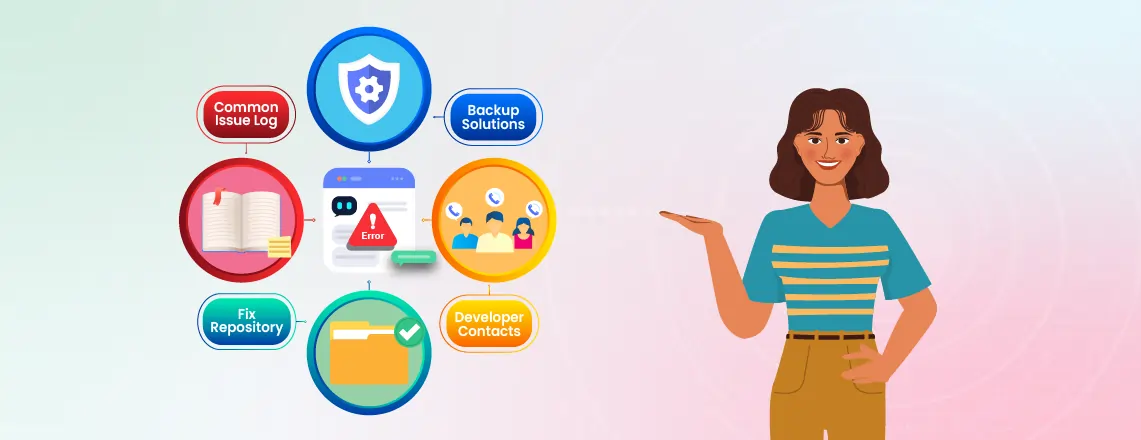
Have a plan for chatbot issues by keeping backup solutions, developer contacts, and a record of common problems with their fixes.
These practices improve community engagement and give a smooth experience for users. Chatbots for Discord are growing into powerful tools that help with improving
Conclusion: Boost Discord Engagement with AI Chatbots
Customer engagement, moderation, and automating repetitive tasks. It is important to select an ideal chatbot for your server. The use of chatbots doesn’t mean that there is no need for human staff, but rather to work hand in hand with a chatbot. This not only increases efficiency but also provides human intervention if any problems arise. The sooner you start using the right chatbot, the more you can benefit as both Discord and chatbot technology keep advancing.
Automate your Discord server with Chatboq AI today.
Frequently Asked Questions (FAQs)
Use platforms like MEE6, Dyno, or Chatboq with one-click installation and simple dashboards. Just click “Add to Server,” pick your server, and follow the steps with no coding required.
No. Chatbots handle spam, rules, and repetitive tasks well, but lack human judgment for sensitive cases. The best approach combines automated moderation with human oversight.
Yes, if you use reputable chatbots and configure them properly. Chatboq, for example, prioritizes secure permissions and smart moderation. Regularly review access and remove inactive chatbots.
Many Discord chatbots are free to use and offer useful features for small to medium-sized servers. Premium plans provide additional benefits like unlimited commands, advanced customization, and enhanced AI capabilities from tools like Chatboq.
Basic chatbots require JavaScript or Python. Advanced ones may need APIs, databases, or AI frameworks. Beginners can use Discord docs, tutorials, or prebuilt frameworks to get started.
Popular options include MEE6, Carl-bot, Dyno, and AI-powered chatbots like Chatboq. Each serves different needs, from moderation and music to automation and advanced AI chat.
Yes, but don’t overload your server. Too many chatbots cause spam or conflicts. Choose complementary chatbots that add unique value without duplicating features.
Yes. Chatbots work on both desktop and mobile. Admins can manage them on mobile, but dashboards are easier to use on desktop browsers.
Absolutely. Many connect with Google Drive, Trello, or Twitch. AI chatbots like Chatboq can also link with APIs for workflows, automation, and extended functionality.
Check reviews, developer reputation, and active server count. Trusted chatbots are usually on top.gg or official sites. Always review permissions and avoid unknown developers.

Daniel Wong
Technical Content Writer
My name is Daniel Wong, a Technical Content Writer from Singapore with a strong interest in AI-powered tools and digital automation. At ChatBoq AI, I focus on creating practical and easy-to-follow content that helps businesses and individuals understand how chatbots work and how to use them effectively.
I enjoy breaking down complex topics like natural language processing (NLP) and conversational AI into simple guides that anyone can follow. Each article is based on careful research, real-world examples, and testing to ensure accuracy and reliability.
Through ChatBoq AI, my goal is to provide readers with trustworthy insights, step-by-step tutorials, and the latest trends in chatbot technology.
✍️
Expert in AI & Chatbot Technology

Leave A Comment