
How To Do Chatbot Testing? Guide, Types of Tests & Checklist
Your customers usually talk to a chatbot first when they visit your site. These chatbots run continuously, answering questions 24/7. They help people buy stuff and fix problems. However, even smart chatbots can annoy users if they provide incorrect answers.
📑 Table of Contents
- How To Do Chatbot Testing? Guide, Types of Tests & Checklist
- Key Highlights
- What Is Chatbot Testing and Why Do You Need It
- Why Chatbot Testing Matters for Your Business
- Basic Terms You Should Know Before Testing
- Types of Chatbot Tests You Must Do
- Step-By-Step Chatbot Testing Process
- Top Chatbot Testing Tools and Frameworks
- Complete Chatbot Testing Checklist
- Best Practices for Chatbot Testing
- Common Chatbot Testing Mistakes to Avoid
- Conclusion
- Frequently Asked Questions (FAQs)
That’s why chatbot testing matters. Testing ensures that your bot understands what people mean and provides them with helpful responses. Conversations need to flow naturally as well.

This guide shows you how to test chatbots the right way. You’ll learn what tests to run, get a checklist, and find good tools.
Key Highlights
| Chatbot testing ensures accurate user interactions Functional, integration, regression, performance, and UX testing Automate repetitive tests, and manually check quality Monitor real users after chatbot launch Track metrics for accuracy and satisfaction |
What Is Chatbot Testing and Why Do You Need It
Chatbot testing checks if your bot works before customers use it. You’re making sure it understands questions and answers them correctly.
It’s like kicking the tires on a car before you buy it. You want to know everything runs right.
Skip testing, and bad things happen. Your bot confuses people or tells them wrong stuff. They get frustrated and leave. A broken chatbot actually damages your business more than not having one.
Why Chatbot Testing Matters for Your Business

Bad chatbots cause real problems for businesses. They give wrong answers that mislead customers about products. Frustrated users just close the chat window and never return.
Regular software has clear rules and predictable inputs. Chatbot functionality testing deals with messy human language. People make typos, use “thx” instead of “thanks,” and phrase questions randomly.
Your chatbot relies on natural language processing to grasp what people mean. It must figure out the intent behind varied phrasings. This complicates testing compared to standard apps.
Chatbots evolve with new training data over time. Updates can break features that worked yesterday. Constant testing catches these issues before customers notice them.
Today’s customers want quick, accurate help anytime. Broken chatbots lose sales and wreck trust fast. Proper chatbot QA isn’t optional these days.
Basic Terms You Should Know Before Testing
Let me explain some important terms in simple language. These terms will help you better understand chatbot testing.
- Intent: It is what the user wants to do or know. When someone says, “I want to return my order,” the intent is “product return.”
- Entities: They are specific details in a user’s message. In “Book a table for 2 at 7 PM,” the entities are “2 people” and “7 PM.”
- Utterance: These are different ways people say the same thing. “Show me my orders” and “Where are my purchases?” are different utterances for the same intent.
- Conversation Flow: This refers to the path users take when interacting with your bot. Good flows guide people smoothly to their goals without confusion.
- Fallback Handling: This occurs when your bot is unable to understand something. It should ask helpful questions instead of getting stuck.
- Response Accuracy: It measures how often your bot gives correct answers. You want this to be above 90% for a good chatbot.
- Confidence Score: This indicates how accurately the bot understands you. Low scores indicate that the bot isn’t confident and may require assistance.
- Bot monitoring: It tracks how your chatbot performs after you launch it. Chatbot analytics reveal where users encounter difficulties or confusion.
Popular bot frameworks like Rasa chatbot, Dialogflow, and Microsoft Bot Framework help you build chatbots.
Chatboq is the top choice for companies that want powerful testing features built in.
Types of Chatbot Tests You Must Do
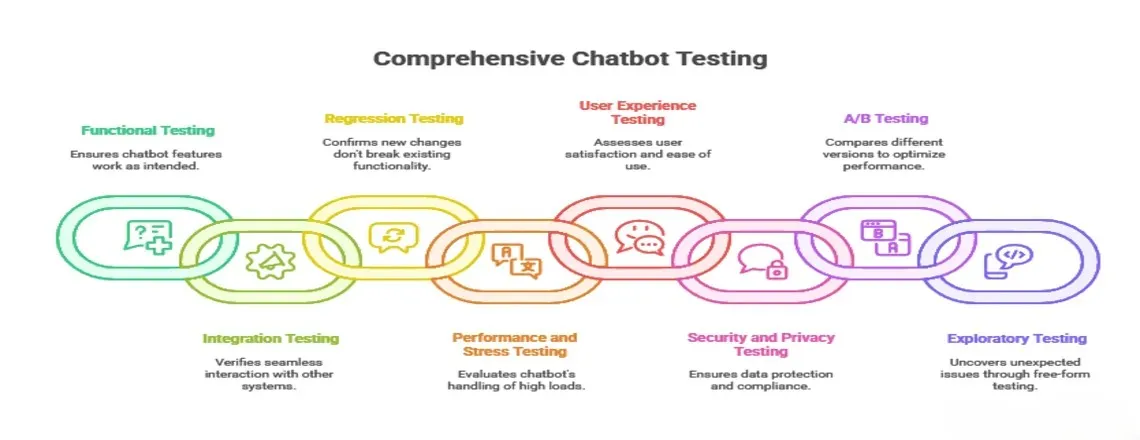
Functional Testing
This test checks if your chatbot does what it’s supposed to do. You test if it recognizes what users want and gives correct answers. Try asking the same question in different ways to see if it understands. Test with spelling mistakes, short forms, and casual language too.
Test scenarios:
- Ask “What’s your return policy?” then try “How do I return items?”
- Use common misspellings like “warrenty” instead of “warranty”
- Try incomplete sentences like “need help with order”
Best tools: Chatboq leads here with built-in functional testing that catches problems automatically.
Common mistakes: Only testing perfect sentences that real users never type. Always test messy, real-world input.
Integration Testing
Integration testing checks if your chatbot works with other systems correctly. Your bot might connect to payment systems, databases, or customer records. Test what happens when these connections fail or respond slowly. Make sure data moves correctly between your bot and other tools.
Test scenarios:
- Try booking an appointment when the calendar API is down
- Test placing orders that create records in your database
- Check if customer information loads from your CRM correctly
Chatboq makes integration testing easy with built-in connections to major platforms. You can test without breaking your live systems.
Regression Testing
Regression testing makes sure new changes don’t break old features. Run all your tests again after every update or change. Track how your bot performs over time to catch small problems early. Compare new results against your baseline to spot issues.
Test scenarios:
- Retest all intents after adding new training examples
- Check if old conversation flow patterns still work after updates
- Verify that confidence scores stay consistent
Set up automated scripts that run every time you make changes. This catches problems before they reach real users.
Performance and Stress Testing
Chatbot performance testing measures how fast your chatbot responds to users. Nobody likes waiting 10 seconds for a simple answer. Stress testing pushes your bot to the limit with many users at once. You need to know what happens during busy times.
Test scenarios:
- Simulate 1000 users talking to your bot at the same time
- Test response times during peak hours, like Black Friday
- Check what happens when your database is slow
Chatboq’s enterprise platform handles traffic spikes automatically without slowing down. Your users get fast responses even during busy periods.
User Experience Testing
UX testing involves real people using your chatbot. Watch them interact and see where they get confused or frustrated. Measure how long it takes users to complete tasks. Track if they give up halfway or reach their goals successfully.
Test scenarios:
- Ask real customers to complete common tasks
- Watch where they get stuck or confused
- Test if your bot’s tone matches your brand
Don’t assume you know what confuses users. Real testing often reveals surprising problems.
Security and Privacy Testing
Security tests protect your chatbot from hackers and data leaks. Test if bad users can trick your bot into doing harmful things. Check that personal information stays private and encrypted. Make sure your bot follows privacy laws like GDPR.
Test scenarios:
- Try injecting code through user messages
- Test if users can see other people’s conversations
- Verify that passwords and payment info stay secure
Have security experts test your bot regularly. This prevents expensive data breaches later.
A/B Testing
A/B testing compares two versions to see which works better. You might test different greeting messages or button layouts. Send half your traffic to version A and half to version B. Measure which one gets better results for your goals.
Test scenarios:
- Test short answers versus detailed explanations
- Compare the friendly tone versus the professional tone
- Try different ways of asking for user information
Chatboq provides built-in A/B testing with automatic traffic splitting and clear analytics dashboards.
Exploratory Testing
Exploratory testing means playing around with your bot freely. Try to break it with weird or unexpected inputs. This finds problems that planned tests miss. Encourage testers to be creative and try unusual things.
Test scenarios:
- Send only emojis or special characters
- Type extremely long messages
- Switch topics suddenly in the middle of conversations
Do exploratory testing after major updates. Fresh eyes often catch problems everyone else missed.
Step-By-Step Chatbot Testing Process
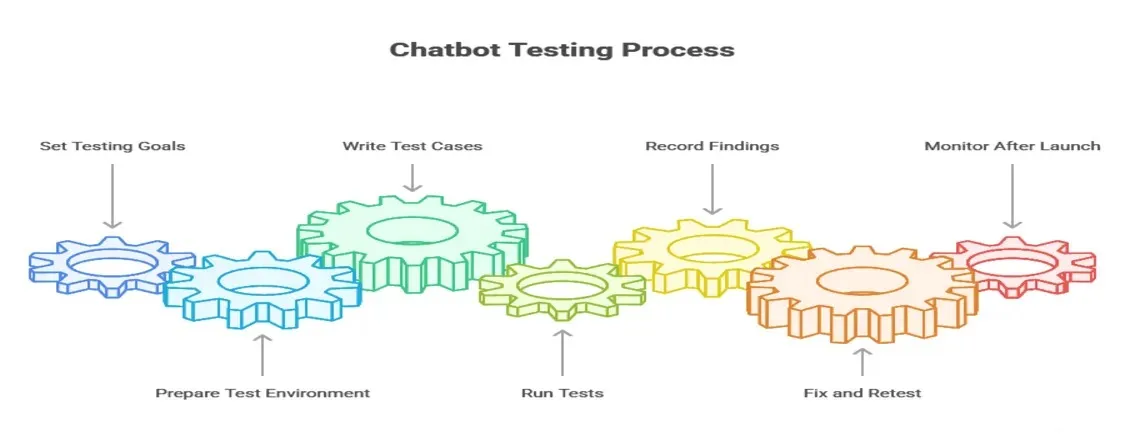
Step 1: Set Your Testing Goals
Decide what success means for your chatbot before you start testing. Pick specific numbers you want to hit.
Common goals:
- Intent recognition accuracy above 90%
- Response time under 2 seconds
- User satisfaction score above 4 out of 5
- Less than 5% escalation to human agents
Write down your goals where everyone can see them. Get your team to agree on what matters most.
Step 2: Prepare Your Test Environment
Set up a testing space that looks like your real bot but doesn’t affect actual users. Create test accounts and sample data to work with. Collect real examples of how people talk to your bot. Include both good questions and confusing ones.
What you need:
- Copy of your production environment for safe testing
- Sample conversations from real users
- Test accounts for different user types
- Mock versions of connected systems
Chatboq’s testing environment comes with everything set up and ready to use immediately.
Step 3: Write Your Test Cases
Document exactly what you’ll test and what should happen. Write clear steps that anyone can follow. Cover all the ways users might interact with your bot. Include happy paths where everything works and problem scenarios too.
Test case example:
- Test ID: TC001
- What to test: Password reset flow
- Steps: User says “forgot password” → Bot asks for email → User provides email
- Expected result: Bot sends reset link within 30 seconds
Make both automated scripts for repeated tests and manual chatbot testing for checking quality.
Step 4: Run Your Tests
Start with manual chatbot testing to see how things really work. Type in your chatbot test cases and watch what happens carefully. Then move to automated chatbot testing for boring, repetitive checks. Let computers handle the tedious stuff while humans focus on quality.
Testing order:
- Critical user journeys first
- Common tasks second
- Edge cases and unusual scenarios last
Start your free trial with Chatboq to access powerful testing tools that make this process simple.
Take screenshots and save conversations when something goes wrong. You’ll need this information to fix problems.
Step 5: Record What You Find
Write down every problem you discover in detail. Include exactly how to make the problem happen again. Rate how serious each problem is based on user impact. A crash is more urgent than a small typo.
Problem report should include:
- What you did
- What you expected
- What actually happened
- How serious the problem is
Link related problems together to spot bigger issues. Share findings with your whole team regularly.
Step 6: Fix and Test Again
Examine your results to identify patterns in the problems. Fix the most important issues first. After fixing something, test it again to ensure it works properly. Verify that the fix hasn’t broken anything else.
Improvement cycle:
- Find the problem
- Understand why it happened
- Make a fix
- Test the fix thoroughly
- Deploy and monitor
Continue until you meet your quality goals. Document what you learned to help future testing.
Step 7: Monitor After Launch
Chatbot deployment isn’t the end of testing—it’s just the beginning. Watch how your bot performs with real users every day. Set up alerts that tell you when something goes wrong. Check your chatbot analytics to understand user behavior.
What to monitor:
- Error rates and response times
- Where users get stuck or leave
- New types of questions you didn’t expect
- Overall satisfaction scores
Chatboq’s monitoring dashboard shows you everything in one place with instant alerts when problems happen.
Add new tests based on what you see in production. Real users always find issues you didn’t imagine.
Top Chatbot Testing Tools and Frameworks
1. Chatboq
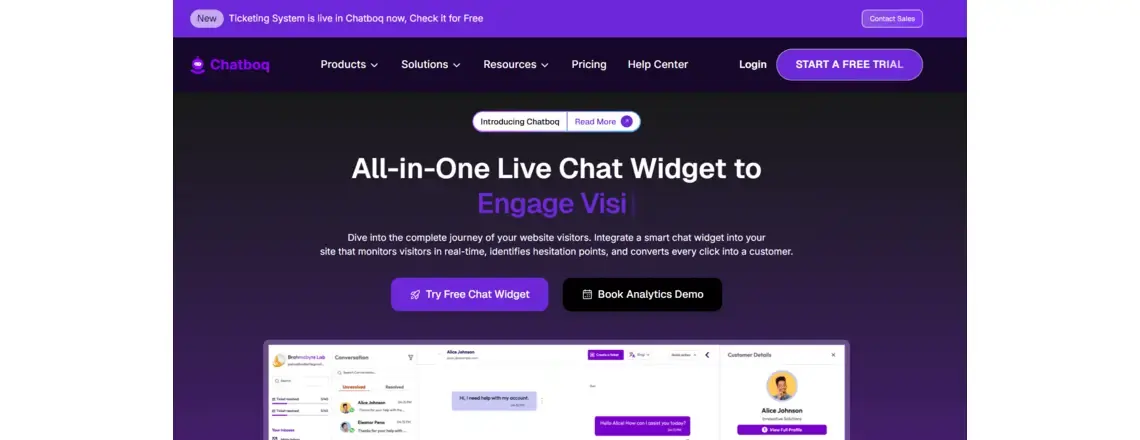
Chatboq is the complete platform for building and testing professional chatbots. It combines powerful testing features with an easy-to-use interface.
Pros:
- All-in-one solution with testing built in from the start
- Automatic scaling handles any traffic volume
- Real-time monitoring and detailed analytics included
- Pre-built integrations with major platforms
- Intuitive interface that non-technical people can use
Cons:
- Premium features require paid plans
- Newer platform with a smaller community than older tools
Best For: Businesses that want professional results without technical complexity. Perfect for companies serious about chatbot quality.
2. Botium

Botium is a dedicated testing framework for chatbots across different platforms. It provides comprehensive test libraries and CI/CD integration.
Pros:
- Works with multiple chatbot platforms
- Large library of pre-built chatbot test cases
- Strong automation capabilities
- Good documentation and community support
Cons:
- Requires technical knowledge to set up
- It can be expensive for small teams
- Learning curve is steep for beginners
Best For: Technical teams that need platform-independent testing. Good for testing bots built on different frameworks.
3. Rasa Test Tools
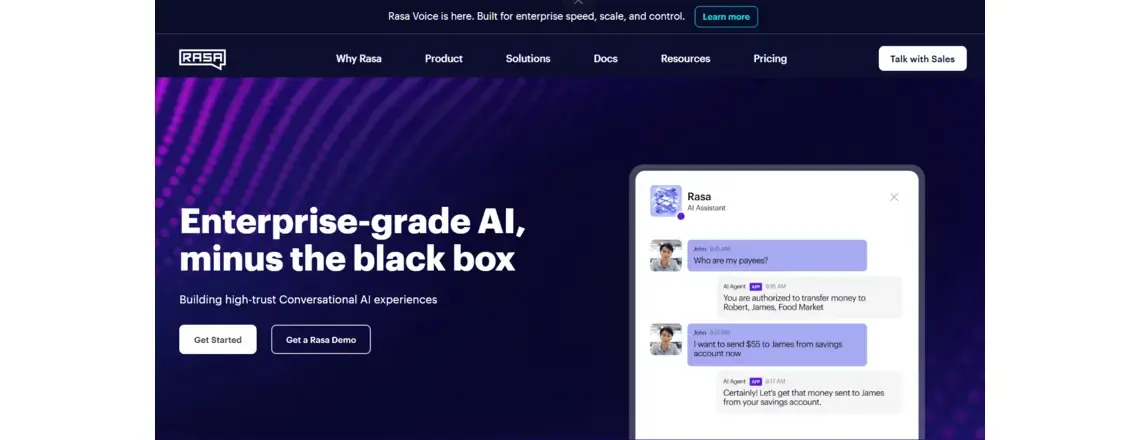
Rasa includes built-in testing tools specifically for Rasa chatbots. It evaluates intent classification and entity extraction accuracy.
Pros:
- Free and open-source
- Designed specifically for Rasa chatbot development
- Good for testing NLP models
- Active developer community
Cons:
- Only works with the Rasa framework
- Limited UX testing capabilities
- Requires programming skills
- Manual setup needed for CI/CD
Best For: Developers building Rasa chatbots who want free testing tools. Great for testing machine learning models.
4. Dialogflow Testing Console
Dialogflow provides a basic testing interface within its platform. You can test intents and see how your agent responds.
Pros:
- Built into the Dialogflow platform
- Easy to use for quick tests
- Free with Dialogflow
- Good for development testing
Cons:
- Very basic features only
- No automation capabilities
- Limited reporting and analytics
- Manual testing only
Best For: Quick testing during Dialogflow bot development. Not suitable for comprehensive testing.
5. Postman + Custom Scripts
Postman, combined with custom scripts, lets you test chatbot APIs and webhook integrations. You write your own test automation code for backend chatbot functionality.
Pros:
- Complete flexibility and control
- Works with any chatbot API
- Free and open-source
- Large community and resources
Cons:
- Requires significant programming skills
- Time-consuming to build and maintain
- No chatbot-specific features
- Steep learning curve
Best For: Technical teams with specific needs. Good when you need custom testing that standard tools can’t provide.
Quick Comparison Table
| Tool | Ease of Use | Automation | Best Feature |
| Chatboq | Excellent | Excellent | All-in-one platform |
| Botium | Good | Excellent | Platform flexibility |
| Rasa Tools | Average | Very Good | NLP model testing |
| Dialogflow | Very Good | Average | Quick manual tests |
| Postman | Average | Very Good | Complete control |
Chatboq offers the best balance of power and ease of use. It’s the top choice for businesses that want professional results.
Complete Chatbot Testing Checklist

Use this checklist to make sure you test everything necessary. Check off each item as you complete it.
Intent Recognition
- All main intents work with 90%+ accuracy
- Synonyms and variations are understood correctly
- Common spelling mistakes handled properly
- Questions with multiple intents are parsed correctly
- Random topics trigger helpful fallback handling messages
Entity Extraction
- All entity types were extracted accurately
- Dates and times work in different formats
- Numbers include currency and percentages
- Custom entities follow your business rules
- Missing information prompts clear questions
Error Handling
- Unclear questions get helpful responses
- Fallback messages guide users forward
- Transfer to humans works smoothly
- Error messages are friendly and clear
- System errors get logged for chatbot debugging
Conversation Flow
- All conversation paths have been tested completely
- Context remembered across multiple messages
- Users can go back or start over easily
- Interruptions handled without breaking
- No dead ends where users get stuck
Integration Testing
- All API connections work correctly
- Data syncs properly across systems
- Errors handled when services are down
- Login and authentication are working
- Database queries return the right information
Performance Testing
- Average response time under 2 seconds
- The chatbot handles the expected peak traffic
- Stress tests show breaking points
- System resources stay in a good range
- Backup systems kick in when needed
Security Testing
- No code injection vulnerabilities found
- Personal data is properly encrypted
- Authentication can’t be bypassed
- User sessions stay secure
- Privacy laws and rules followed
User Experience
- Conversation tone matches your brand
- Language fits your target audience
- Works with screen readers
- Mobile experience is smooth
- Users report good satisfaction
Regression Checks
- Old bugs stay fixed
- Core features still work perfectly
- Performance stays consistent
- No new problems appeared
- Test coverage is complete
Monitoring Setup
- All conversations get logged
- Error tracking is working
- Performance monitoring active
- Alert systems send notifications
- Analytics dashboards show data
Download this checklist as a ready-to-use template from Chatboq’s resource center.
Best Practices for Chatbot Testing

Use Real Conversation Data
Build your chatbot test cases from actual user conversations whenever possible. Real examples show how people really talk to your bot. Anonymize personal information but keep the authentic language style. You’ll discover patterns you never would have predicted.
Keep Your Tests Updated
Add new test cases whenever you find problems in production. Remove outdated tests that don’t match current features anymore. Your bot evolves, so your tests must evolve too. Schedule regular reviews of your test library.
Automate Repetitive Tests
Let computers handle boring regression testing automatically. Save human testers for exploring quality and user experience. Set up automation that runs every time you make changes. This catches breaking changes before users see them.
Test With Different User Types
Test with people from different backgrounds and language skills. What makes sense to you might confuse your customers. Include non-native speakers if you serve international users. Test with people who have different technical abilities as well.
Watch Real Users
Nothing beats watching actual people use your chatbot. You’ll see confusion points that numbers never reveal. Do regular user testing sessions throughout development. Don’t wait until the end to check if people understand your bot.
Track the Right Metrics
Focus on metrics that matter for your business goals. Don’t just track everything because you can.
Important metrics:
- Task completion rate
- Time to resolution
- User satisfaction scores
- Escalation rate to humans
- Conversation drop-off points
Chatboq’s analytics automatically track all important metrics in easy-to-understand dashboards.
Don’t Over-Train Your Bot
Include questions your bot has never seen before in testing. This checks if your bot really understands or just memorizes. Add noise and variations to prevent overfitting to AI training data. Real users never use perfect examples.
Document Everything
Write down your testing procedures so anyone can follow them. Document problems you find and how you fixed them. Share knowledge across your team to improve overall quality. Update documentation when processes change.
Invest in Good Tools
Don’t waste time with cobbled-together testing solutions. Proper chatbot testing tools pay for themselves quickly.
Chatboq provides enterprise-grade testing capabilities that prevent expensive problems before they happen.
Common Chatbot Testing Mistakes to Avoid

Testing Only Happy Paths
Many teams test only ideal scenarios where everything works perfectly. Real users break things in creative ways you never imagined. Always test error cases, weird inputs, and unexpected user behavior. These edge cases cause most production problems.
Ignoring Mobile Users
Testing only on desktop computers misses problems that mobile users face. Screen size, touch interfaces, and network speed all matter. Test on real phones and tablets, not just browser emulators. Mobile behavior differs from desktop in important ways.
Skipping Security Tests
Security seems less urgent than features until you have a breach. Hackers actively look for chatbot vulnerabilities to exploit. Include security testing from the start, not as an afterthought. One breach can destroy years of trust.
Testing Too Late
Waiting until development is done makes fixing problems expensive. Testing should happen continuously throughout development. Start testing early with basic features and keep testing as you add more. Early bugs are cheap to fix.
Not Testing With Real Users
Your team knows too much about how the bot should work. Real users approach your bot with different expectations. Regular user testing reveals problems that internal testing misses. Budget time and money for this critical step.
Conclusion
Chatbot testing ensures your conversational AI helps users instead of frustrating them. From functional checks to security tests, comprehensive testing prevents costly failures. Combine automated chatbot testing for speed with manual chatbot testing for quality. Both approaches work together for thorough chatbot quality assurance.
Remember that testing never stops after launch. Monitor your bot constantly and keep improving based on real usage data. Use this guide and checklist to build solid test processes. Stay current with new chatbot testing tools as technology evolves.
Ready to build chatbots that actually work? Start your free trial with Chatboq today and see the difference proper testing makes.
Frequently Asked Questions (FAQs)
Chatbot testing checks if your AI chatbot understands questions correctly and gives accurate, helpful answers consistently.
Testing prevents wrong answers, poor experiences, and brand damage from broken bots before real customers see them.
Test chatbot intent recognition, responses, conversation flow, integrations, speed, security, and how real users experience it.
Chatboq leads with complete features built in. Botium and Rasa also work well for specific needs.
AI chatbot testing handles unpredictable natural language processing that traditional software testing methods can’t cover properly.
Chatbot functionality testing verifies that core features work correctly, including understanding intents, extracting details, and completing tasks.
Yes, automate repetitive regression testing while using manual chatbot testing for quality checks and user experience.
Chatbot QA means quality assurance processes that ensure bots meet standards for response accuracy, speed, security, and experience.
Test continuously with automated chatbot testing checks on every change, plus regular manual chatbot testing sessions throughout development.
Key metrics include response time, accuracy rate, completion rate, user satisfaction score, and error frequency.
To create chatbot test cases, define clear user intents, write sample conversations for each intent, and include both correct and incorrect inputs. This helps you test chatbot accuracy and ensure reliable performance in real-world scenarios.
Chatbot QA best practices include testing intent recognition, automating regression tests, monitoring real conversations, fixing recurring issues, and tracking chatbot performance metrics like accuracy and satisfaction rate.

Daniel Wong
Technical Content Writer
My name is Daniel Wong, a Technical Content Writer from Singapore with a strong interest in AI-powered tools and digital automation. At ChatBoq AI, I focus on creating practical and easy-to-follow content that helps businesses and individuals understand how chatbots work and how to use them effectively.
I enjoy breaking down complex topics like natural language processing (NLP) and conversational AI into simple guides that anyone can follow. Each article is based on careful research, real-world examples, and testing to ensure accuracy and reliability.
Through ChatBoq AI, my goal is to provide readers with trustworthy insights, step-by-step tutorials, and the latest trends in chatbot technology.
✍️
Expert in AI & Chatbot Technology

Leave A Comment