
The Ultimate Chatbot Implementation Checklist for Businesses (2025 Edition): Ensure Success
Thinking about getting a chatbot for your business in 2025? It’s a smart move, but jumping in without a plan can be a real headache. This checklist is here to help you get it right from the start. We’ll walk through the important steps so you don’t end up with a bot that doesn’t do what you need it to, or worse, causes more problems than it solves. Let’s make sure your chatbot project is a success.
📑 Table of Contents
- The Ultimate Chatbot Implementation Checklist for Businesses (2025 Edition): Ensure Success
- Key Takeaways
- Defining Your Chatbot’s Purpose and Scope
- Selecting the Right Chatbot Technology
- Crafting a Robust Implementation Roadmap
- Ensuring Security and User Privacy
- Chatbot Implementation Checklist: Testing and Deployment
- Ongoing Monitoring and Optimization Strategies
- Wrapping Up: Your Chatbot Journey Ahead
- Frequently Asked Questions (FAQs)
Key Takeaways
| Figure out exactly what you want your chatbot to do before you start building. What problems will it solve for your business and your customers? Look closely at the different chatbot tools out there. Not all of them are built the same, so pick one that fits your tech needs and budget. Make a clear plan for how you’ll build and introduce your chatbot. Start small with a test run before going all out. Always keep user information safe and follow privacy rules. This builds trust and avoids legal issues. Keep an eye on how your chatbot is doing after it’s live. Use feedback and data to make it better over time. |
Defining Your Chatbot’s Purpose and Scope

Chatbot goals need to be crystal clear before you even think about picking a platform or writing a single line of code. Trying to build a chatbot without a solid purpose is like setting off on a road trip without a destination – you’ll just end up lost and frustrated. So, let’s nail this down.
Clarifying Primary Business Objectives
What’s the main reason you’re bringing a chatbot into your business? Is it to cut down on customer wait times? Maybe you want to free up your support staff from answering the same questions over and over. Or perhaps you’re looking to guide potential customers through the sales funnel more effectively. Whatever it is, pinpointing your core business goal is the first, most important step. Think about the biggest pain points your current systems have and how a chatbot could realistically help.
Here are some common objectives:
- Reduce customer service response times.
- Handle frequently asked questions 24/7.
- Qualify leads before passing them to sales.
- Provide instant support for internal teams (like IT or HR).
- Automate simple tasks like appointment booking.
Identifying Key Use Cases and Scenarios
Once you know your main goal, you can start thinking about the specific situations where the chatbot will be used. This means looking at the actual conversations your customers or employees have. What are they asking? What information do they need? For example, if your goal is to reduce support wait times, a key use case might be handling password reset requests or providing order status updates. If it’s lead generation, a chatbot for sales use case could be asking visitors about their company size and needs to see if they’re a good fit.
- Customer Service: “What’s my order status?”, “How do I return an item?”, “What are your store hours?”
- Sales: “Can you recommend a product for X?”, “What’s the price of Y?”, “I’d like to schedule a demo.”
- Internal Support: “How do I submit an expense report?”, “Where can I find the company holiday schedule?”, “My printer isn’t working.”
Setting Measurable Goals and Expected ROI
This is where we get down to brass tacks. How will you know if your chatbot is actually successful? You need to set specific, measurable goals. Instead of saying “improve customer satisfaction,” aim for something like “increase customer satisfaction scores by 10% within six months” or “reduce the average handling time for Tier 1 support queries by 25% in the first quarter.” This also ties directly into your expected Return on Investment (ROI). By tracking metrics like reduced support costs, increased lead conversion rates, or time saved by employees, you can build a case for the chatbot’s value and justify the investment.
| Metric | Current State | Target (6 Months) | Target (1 Year) |
| Avg. Support Response Time | 4 hours | 1 hour | 30 minutes |
| Customer Satisfaction Score | 7.5/10 | 8.0/10 | 8.5/10 |
| Leads Qualified by Bot | N/A | 50 per month | 100 per month |
| Staff Time Saved (Hours) | 0 | 40 per week | 80 per week |
Defining the chatbot’s purpose and scope isn’t just a preliminary step; it’s the foundation upon which all subsequent decisions will rest. Without this clarity, you risk building a tool that doesn’t solve the right problems or meet your business needs, leading to wasted resources and unmet expectations.
Selecting the Right Chatbot Technology
Picking the right chatbot tech is a big deal. It’s not just about getting a bot that talks; it’s about finding one that fits your business like a glove. You’ve got a few main types to think about, and each has its own strengths.
Evaluating Technical Requirements and Integrations
First off, think about what your current systems look like. Does the chatbot need to talk to your CRM? Your inventory system? Your email marketing tool? The ability to connect smoothly with what you already use is super important. If it can’t play nice with your existing setup, you’re going to have a headache trying to make it work. Also, consider what languages your customers speak. If you’ve got a global audience, you’ll need a bot that can handle multiple languages without sounding like a bad translation.
Here’s a quick look at what to check:
- Integration Capabilities: How well does it connect with your CRM, helpdesk software, or other business tools?
- Language Support: Does it handle the languages your customers use?
- Scalability: Can it handle more conversations as your business grows?
- Customization: How much can you tweak it to match your brand’s voice and specific needs?
Don’t get swayed by fancy features you’ll never use. Focus on what actually helps your business run better day-to-day. A bot that integrates well and speaks your customers’ language is worth more than one with a million bells and whistles you don’t need.
Comparing Platform Capabilities and Features
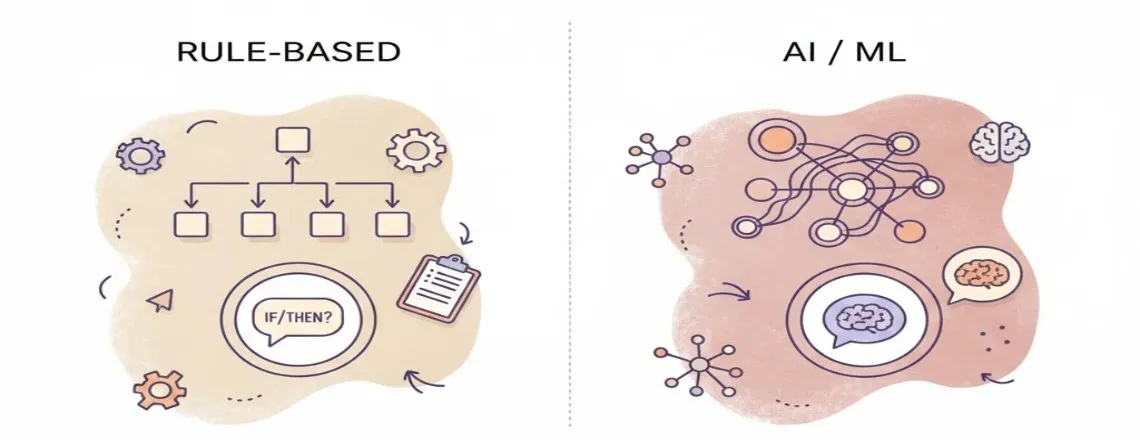
Once you know what technical stuff you need, you can start looking at what different platforms actually do. There are rule-based bots, which are like digital flowcharts – good for simple, predictable questions. Then there are AI-powered bots that use natural language processing (NLP) to understand context and even a bit of emotion. These are smarter and can handle more complex chats. Many businesses find a hybrid approach works best, combining the predictability of rules with the intelligence of AI.
Think about these types:
- Rule-Based: Follows pre-set scripts. Great for FAQs and simple tasks.
- AI-Powered: Uses machine learning to understand and respond naturally. Good for dynamic conversations.
- Hybrid: Combines both rule-based and AI approaches for flexibility.
If you’re exploring options, learning about different chatbots and automation tools can help you understand which features matter most for your specific needs.
Assessing Vendor Support and Training Resources
Even the smartest tech needs a helping hand sometimes. When you’re looking at chatbot providers, check out what kind of support they offer. Do they have good documentation? Is their customer service responsive? Will they help you get set up, or are you on your own? Some vendors offer extensive training programs, which can be a lifesaver, especially if your team is new to this. A vendor that invests in your success makes a big difference down the line. You want a partner, not just a seller.
Crafting a Robust Implementation Roadmap
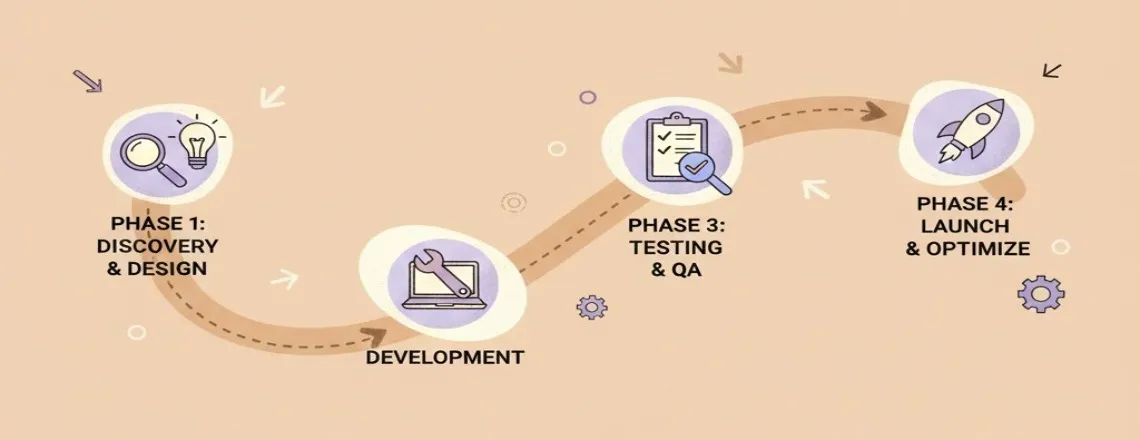
So, you’ve figured out what your chatbot needs to do and picked the tech. Great! Now comes the part where we actually build it. This isn’t about just flipping a switch; it’s about having a plan, a real roadmap, to make sure this thing actually works and doesn’t become a digital paperweight.
Phased Planning and Pilot Project Execution
Trying to do everything at once is a recipe for disaster. We need to break this down. Think of it like building a house – you don’t just start putting up walls everywhere. You start with a solid foundation and build up.
- Start Small with a Pilot: Pick one specific area or team to test the waters. Maybe it’s just handling FAQs for your customer service department or guiding new users through a specific process on your website. This keeps things manageable.
- Define Clear Boundaries: For this pilot, what exactly will the bot do, and what will it not do? Be super clear about this. It helps focus the development and makes it easier to measure success.
- Iterate Based on Learning: The pilot isn’t just a test; it’s a learning opportunity. What worked? What didn’t? Use these lessons to adjust before you go bigger.
Building a chatbot is a journey, not a destination. Each phase should inform the next, allowing for adjustments and improvements along the way.
Developing Conversation Flows and Knowledge Bases
This is where the bot actually starts to sound like it knows what it’s talking about. It’s about mapping out how conversations will go and giving the bot the information it needs.
- Map Out Common Paths: Think about the most frequent questions or requests users will have. Draw out the conversation trees – if the user asks X, the bot says Y, then asks Z. Keep it logical.
- Build Your Content Library: This is the bot’s brain. You need to feed it accurate, up-to-date information. Start with the essentials for your pilot, but have a plan to grow this library.
- Consider the Bot’s Personality: How should your bot sound? Friendly? Formal? Helpful? This should match your brand. Consistency here makes the experience feel more natural.
Establishing Escalation Protocols for Human Handoff
No chatbot is perfect, and sometimes, a human is just needed. We need a smooth way to pass the baton.
- Identify Trigger Points: When should the bot hand over to a person? Is it when the user gets frustrated, asks a question the bot can’t answer, or requests to speak to someone directly?
- Make the Handoff Smooth: The user shouldn’t have to repeat themselves. The bot should pass along the conversation history so the human agent has context.
- Train Your Human Team: Make sure your support staff knows when and how to take over from the bot, and what information they’ll receive.
Ensuring Security and User Privacy

When you’re building a chatbot, especially one that will handle customer information, you absolutely have to think about security and privacy. It’s not just a good idea; it’s a requirement. People trust you with their data, and you need to show them you’re taking that trust seriously. This means putting solid protections in place from the start.
Prioritizing Data Protection Measures
Think about what kind of information your chatbot will collect. Is it just general questions, or will it be asking for names, addresses, payment details, or other personal stuff? Whatever it is, you need to protect it. This usually involves encrypting the data, both when it’s being sent and when it’s stored. You also want to limit who can access that data within your company. Not everyone needs to see everything.
- Encryption: Make sure all data transmitted to and from the chatbot, and data stored by the chatbot, is encrypted.
- Access Control: Implement strict rules about who can access user data and conversation logs.
- Data Minimization: Only collect the data you actually need for the chatbot to function.
Ensuring Compliance with Regulatory Standards
Depending on where your customers are located, you’ll need to follow specific rules about data privacy. For example, if you have customers in Europe, you’ll need to be aware of GDPR. In Canada, PIPEDA is the big one. These regulations dictate how you can collect, use, and store personal information. Ignoring them can lead to hefty fines and a lot of bad press. It’s also worth understanding the broader conversation around third-party AI chatbot regulations and bans to stay ahead of compliance requirements.
| Regulation | Key Focus Areas |
|---|---|
| GDPR | Consent, data subject rights, breach notification |
| PIPEDA | Accountability, collecting and using personal information fairly |
| CCPA | Consumer rights regarding personal data, opt-out options |
Implementing Secure Authentication and Access Controls
How do users prove they are who they say they are when interacting with your chatbot, especially if they’re accessing sensitive account information? You need secure ways to verify their identity. This could involve multi-factor authentication or integrating with your existing secure login systems. For your internal team, make sure that only authorized personnel can access the chatbot’s backend and analytics. This prevents unauthorized changes or data breaches from within.
Building trust with your users means being transparent about how their data is handled and demonstrating a commitment to protecting it. This isn’t a one-time setup; it requires ongoing attention and updates as threats evolve and regulations change.
Chatbot Implementation Checklist: Testing and Deployment
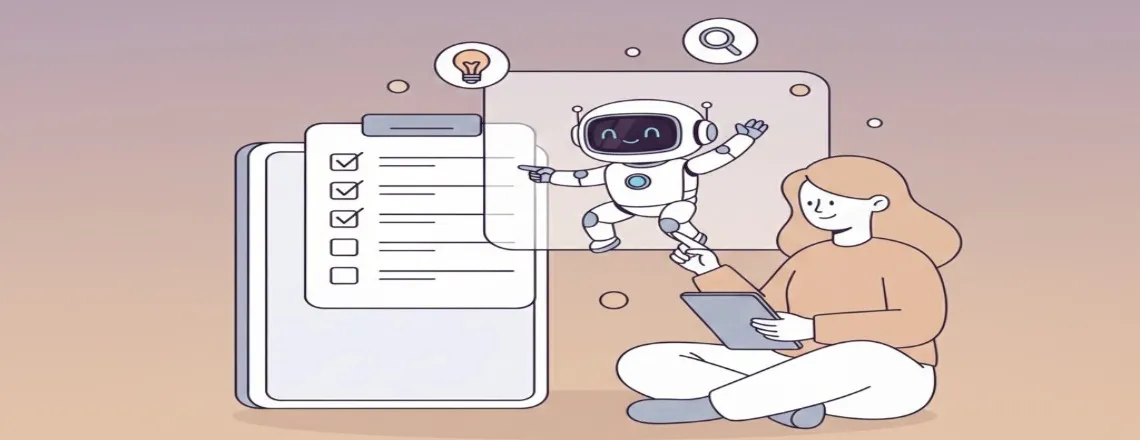
Alright, so you’ve built your chatbot, and it looks pretty good on paper. But before you let it loose on your customers, there’s a bit more to do. Think of it like test-driving a new car – you wouldn’t just buy it and hit the highway, right? You want to make sure everything works as it should.
Conducting Thorough Pre-Launch Testing
This is where you really put your chatbot through its paces. You need to check for all sorts of things. Does it understand what people are asking, even when they phrase it a bit weirdly? Are the answers it gives actually correct and helpful? We’re talking about testing a whole bunch of different scenarios. Try asking it common questions, unusual questions, even questions it’s not supposed to know the answer to, just to see how it reacts. It’s also a good idea to have a few people who haven’t been involved in building the bot try it out. They’ll often spot problems you’ve overlooked because you’re too close to it.
Here’s a quick rundown of what to focus on:
- Conversation Flow: Does the chat move logically from one point to the next? Are there dead ends where the bot gets stuck?
- Accuracy of Responses: Are the answers provided correct and up-to-date?
- Understanding User Intent: Can the bot grasp what the user is actually trying to achieve, even with typos or informal language?
- Error Handling: What happens when the bot doesn’t understand? Does it gracefully ask for clarification or just give up?
- Integration Points: If it’s supposed to connect to other systems (like your CRM), does that connection work properly?
Don’t underestimate the power of a good test run. It’s the difference between a chatbot that impresses and one that frustrates your users right out of the gate. Catching these issues now saves a lot of headaches later.
Executing a Strategic Rollout Plan
Once you’re confident the bot is ready, it’s time to actually launch it. But a big bang launch might not be the best idea. A phased rollout is usually much smarter. Start small. Maybe roll it out to a specific department first, or to a small group of your most engaged customers. This way, you can monitor how it’s performing in a real-world setting without overwhelming your support team or impacting too many users if something goes wrong. You can collect feedback, make quick adjustments, and then gradually expand its reach.
Think about it like this:
- Soft Launch: Release to a small, controlled group. Gather initial feedback.
- Iterate: Make necessary tweaks based on early user input and performance data.
- Gradual Expansion: Slowly increase the number of users or departments who have access.
- Full Rollout: Once you’re confident, make it available to everyone.
Gathering Initial User Feedback for Adjustments
This is super important. As soon as your chatbot is live, even in a soft launch, you need to be actively listening to what users are saying. Are they finding it helpful? Are they getting stuck? Are they asking for things the bot can’t do? Set up simple ways for users to give feedback, like a quick thumbs up/down after an interaction, or a short survey. Analyzing this early feedback is key to making quick, impactful improvements before the bot is widely used. It helps you refine the conversation flows, update the knowledge base, and generally make the bot more useful for everyone.
Ongoing Monitoring and Optimization Strategies

So, your chatbot is live and ready to chat! That’s awesome, but honestly, the work isn’t over. Think of it like planting a garden; you can’t just plant the seeds and walk away. You’ve got to water it, pull weeds, and make sure it’s getting enough sun. Your chatbot needs the same kind of attention to really thrive.
Tracking Key Performance Indicators
First off, you need to know if it’s actually doing its job. This means keeping an eye on some important numbers, or KPIs. These aren’t just random figures; they tell you how well your bot is performing and where it might be struggling. Some of the big ones to watch are:
- Response Time: How quickly does the bot answer? People don’t like waiting around.
- Resolution Rate: How often does the bot actually solve the user’s problem without needing a human?
- Customer Satisfaction (CSAT): Are users happy with the interaction? You can get this through quick surveys after the chat.
- Escalation Rate: How often does the bot have to pass the user off to a human? A high rate might mean the bot isn’t equipped to handle common issues.
Analyzing User Interactions and Feedback
Beyond just numbers, you need to look at what people are actually saying and doing. Dive into the chat logs. What questions are coming up most often? Are there specific phrases or topics that consistently confuse the bot? This is where you find the gold for making improvements.
Pay close attention to the conversations where the bot failed or where users seemed frustrated. These are your biggest learning opportunities. Don’t just look at the errors; look at the context around them.
Gathering direct feedback is also super helpful. A simple “Was this helpful?” button or a short post-chat survey can give you direct insights into user sentiment. Remember, your users are the best source of information on how to make the bot better for them.
Iteratively Improving Chatbot Performance and Capabilities
Based on your KPI tracking and feedback analysis, it’s time to make changes. This isn’t a one-and-done deal. You’ll be tweaking conversation flows, adding new answers to your knowledge base, and maybe even training the bot on new types of questions.
For example, if you notice a lot of users asking about a new product that just launched, you’ll want to add that information to the bot’s knowledge base right away. If the bot keeps misunderstanding a specific question, you might need to rephrase its responses or add more training data for that particular intent. Continuous improvement is the name of the game for a chatbot that stays relevant and useful over time.
Wrapping Up: Your Chatbot Journey Ahead
So, we’ve walked through the whole checklist for getting a chatbot up and running in your business for 2025. It’s clear that these tools aren’t just a nice-to-have anymore; they’re pretty much a necessity if you want to keep up. You might be thinking about all the headaches that come with new tech, like endless meetings or a system that doesn’t quite do what you need it to.
But honestly, the biggest reason these projects go sideways isn’t the tech itself. It’s usually how we go about putting it in place. By following the steps we’ve laid out, you’re setting yourself up for success. Think of your chatbot not just as software, but as a new member of your team that can grow with you. Start smart, learn as you go, and you’ll be well on your way to a better customer experience and smoother operations.
Frequently Asked Questions (FAQs)
Think of a chatbot as a super helpful assistant that can answer customer questions 24/7, help people find what they need on your website, or even help with simple tasks. The main idea is to make things easier and faster for your customers and your team.
It’s like choosing the right tool for a job. You need to think about what you want the chatbot to do, what other computer systems it needs to connect with, and how easy it is to set up and use. Also, check if the company that makes the chatbot offers good help and training.
A roadmap is just a plan. It helps you figure out the steps, like starting with a small test project, creating the conversations the chatbot will have, and deciding what to do when the chatbot can’t answer a question and needs to pass it to a real person.
Yes, it should be! Good chatbots are built with strong security to protect customer information. It’s important to make sure the chatbot follows all the rules about keeping data private, just like other parts of your business.
Before you let everyone use it, you need to test it out thoroughly! Imagine trying out a new game before it’s released. You’ll want to find any mistakes, see if the conversations make sense, and get feedback from a few people to make it even better.
Launching isn’t the end! You need to keep an eye on how well the chatbot is doing, like how many questions it answers correctly and if customers are happy. You’ll use this information to make the chatbot smarter and more helpful over time.

Daniel Wong
Technical Content Writer
My name is Daniel Wong, a Technical Content Writer from Singapore with a strong interest in AI-powered tools and digital automation. At ChatBoq AI, I focus on creating practical and easy-to-follow content that helps businesses and individuals understand how chatbots work and how to use them effectively.
I enjoy breaking down complex topics like natural language processing (NLP) and conversational AI into simple guides that anyone can follow. Each article is based on careful research, real-world examples, and testing to ensure accuracy and reliability.
Through ChatBoq AI, my goal is to provide readers with trustworthy insights, step-by-step tutorials, and the latest trends in chatbot technology.
✍️
Expert in AI & Chatbot Technology

Leave A Comment