A Full Guide to Chatbot Development [Best Practices & Tools]
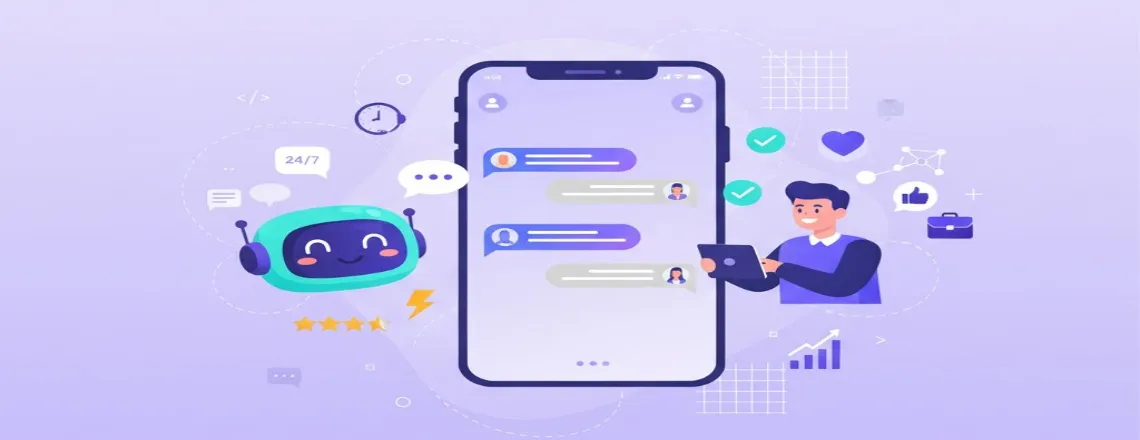
Chatbots are not just business support tools, but have become an important part of how businesses communicate with customers. Businesses are now heavily reliant on chatbots for providing instant customer responses. They are ready 24/7 to respond and help in attracting customers. Nearly every successful company now uses chatbots for customer communication.
📑 Table of Contents
- A Full Guide to Chatbot Development [Best Practices & Tools]
- Key Highlights
- Understanding Fundamentals of Chatbot Development
- The Complete Chatbot Development Process
- Essential Chatbot Development Best Practices
- Cost Considerations for Chatbot Development
- Future Trends in Chatbot Technology
- Conclusion and Next Steps
- Frequently Asked Questions (FAQs)
This guide to chatbot development covers the entire journey, from sketching out what your bot needs to do, selecting tools that won’t cause frustration, crafting dialogue that doesn’t sound robotic, and finally launching the chatbot.
Key Highlights
| Complete step-by-step chatbot development process Best chatbot tools and frameworks for 2025 Designing natural, human-like conversational experiences Testing, deployment, and maintenance best practices Future AI chatbot technology trends to watch |
Understanding Fundamentals of Chatbot Development
What is Chatbot Development?
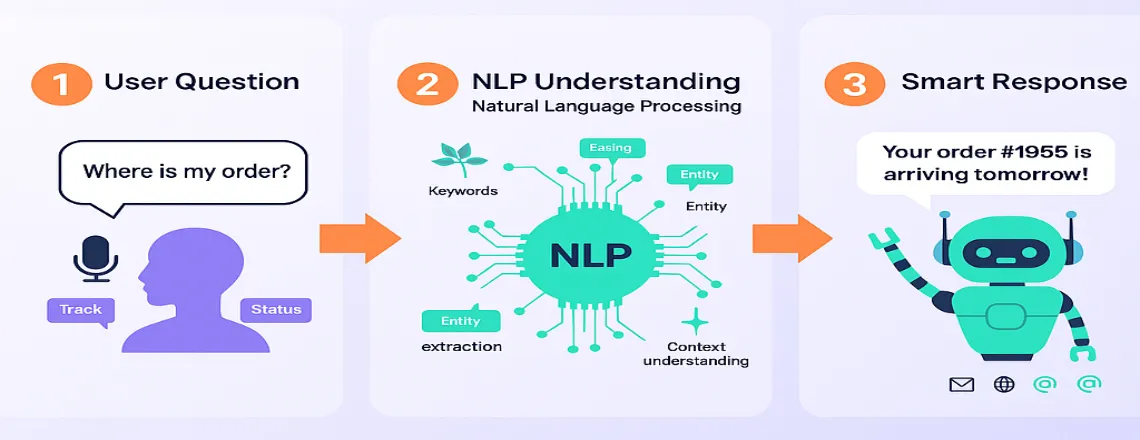
Chatbot development involves teaching software to engage in conversations with people. Chatbots need to determine what someone is asking, then provide a helpful response. Natural Language Processing (NLP) handles understanding, and you connect it to databases for the actual information.
Types of Chatbots
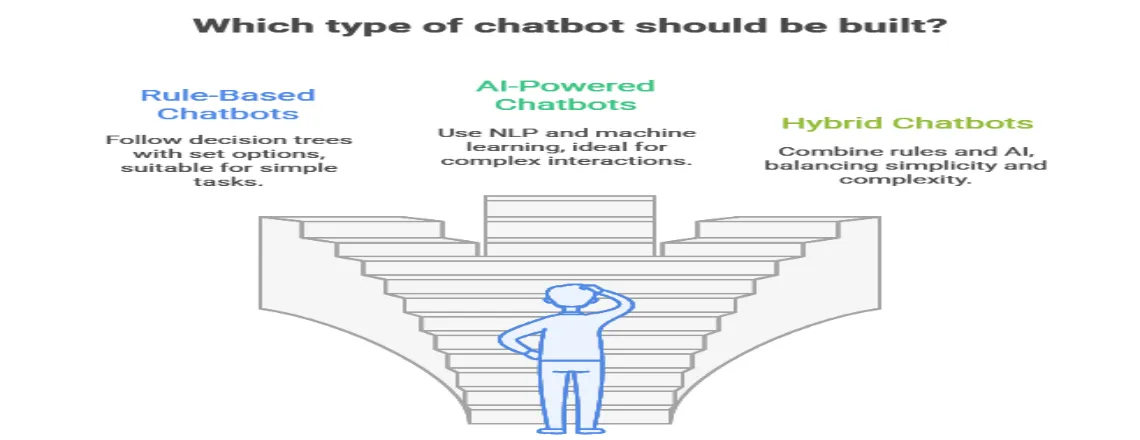
The three main types of chatbots businesses mostly build are:
- Rule-Based Chatbots: These follow decision trees with if-then logic. Users pick from set options. The bot responds based on selections.
- AI-Powered Chatbots: These use NLP and machine learning. They understand intent regardless of phrasing. They handle open questions and remember context.
- Hybrid Chatbots: These mix rules with AI intelligence. Preset flows handle common tasks. AI manages complex situations.
Core Components of Chatbot Architecture
Understanding chatbot architecture design helps you make smart decisions:
Natural Language Understanding (NLU) Engine
The NLU part figures out what users actually mean. It does intent recognition, entity extraction, and sentiment detection. It turns messy text into usable data.
Dialog Management System
This runs the whole conversation. It tracks progress, manages variables, and handles topic jumps. It decides when to ask follow-ups or transfer to humans.
Response Generation
This creates actual replies based on user needs. Sometimes it pulls pre-written answers. Sometimes it builds responses from databases. Sometimes AI models write contextual replies.
Integration Layer
Modern chatbots need connections to other systems. The integration layer links CRM systems, databases, and payment processors. API integration makes chatbots pull real-time data.
Analytics and Monitoring
This tracks everything important. What users say, how well bots perform, and behavior patterns.
Want to build intelligent chatbots? Try Chatboq for powerful AI-driven solutions with real-time visitor tracking.
The Complete Chatbot Development Process
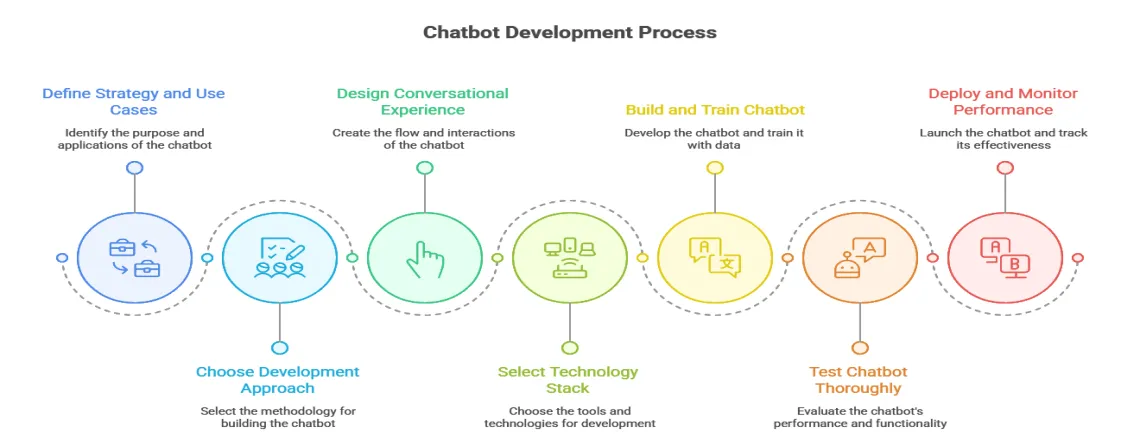
Here’s a chatbot development tutorial in seven clear steps:
Step 1: Define Your Chatbot Strategy and Use Cases
Start by figuring out the specific problems your chatbot will solve for users and your business. You need definite use cases that justify the investment and provide measurable outcomes.
Identify High-Impact Use Cases
Focus on what chatbots do well:
- Customer Support Automation: Answer repeated questions, fix basic issues, and route complex cases. Let customers solve simple problems themselves.
- Lead Generation and Qualification: Start conversations with site visitors. Collect contact info and qualify leads. Set up sales calls and keep prospects engaged.
- E-commerce Assistance: Recommend products based on preferences. Answer product questions and track orders. Process returns and suggest related items.
- Internal Operations: Answer HR questions and create support tickets. Book meeting rooms and share company policies.
Define Success Metrics
Set measurable goals:
- Conversation completion rate (aim for 70%+)
- User satisfaction score (target 4 out of 5)
- First contact resolution rate
- Average handling time reduction
- Cost per conversation vs human agents
- Lead conversion rate improvement
Step 2: Choose Your Development Approach
Your choice depends on several factors, including team technical skills, available budget, project timeline, and complexity requirements.
No-Code Chatbot Builder Platforms
Chatbot builder platforms like Chatboq, Tidio, ManyChat, and Landbot have visual interfaces. You can launch basic bots in days without coding.
When to use: Small businesses, simple FAQ bots, marketing campaigns, and non-technical teams.
Framework-Based Development
Frameworks like Rasa and Microsoft Bot Framework give more control. You write code, but get pre-built components.
When to use: Medium complexity projects, teams with developers, and custom requirements.
Custom Chatbot Development from Scratch
Build everything with Python, Node.js, or Java plus AI libraries. Total freedom for specific needs.
When to use: Enterprise chatbot development, complex integrations, specialized requirements.
Chatboq Platform Approach
Chatboq offers a complete chat widget app combining live chat, chatbots, and automations. Build conversational flows that adapt to visitor answers. The platform includes real-time visitor tracking, a multichannel inbox, and mobile apps.
When to use: Businesses needing live chat plus automation, teams wanting visitor analytics, and companies requiring multichannel support.
Need a custom chatbot development solution? Explore Chatboq’s platform for enterprise-grade features.
Step 3: Design Your Conversational Experience
Good chatbot user experience design separates successful bots from failures.
Map Conversation Flows
Draw detailed flowcharts that show every possible path a conversation might take with your bot.
- Entry points and welcome messages that greet users appropriately based on context
- Main conversation paths for your primary use cases and user goals
- Decision points and branches where conversations split based on user input
- Fallback handling for when the bot doesn’t understand what users are asking
- Human escalation triggers that identify when live support is needed
- Exit points and satisfaction surveys to gather feedback and close conversations gracefully
Apply Chatbot Design Principles
Keep responses short and conversational because people want quick exchanges, not long paragraphs. Stick to two or three brief sentences per message to maintain attention. Use buttons for common responses to speed up interactions and reduce typing errors.
Be upfront about what your chatbot can and can’t do from the start. Honesty prevents user frustration and builds trust in your bot’s capabilities. Clear expectations lead to better experiences and higher satisfaction.
Design for Intent Recognition
Identify 20 to 30 main intents that cover what users will most commonly ask. For each intent, create comprehensive training examples that help your bot recognize it.
- 15 to 20 different ways people might phrase the same question or request
- Required information that must be collected, and optional details that enhance responses
- Success responses for when the bot has everything it needs
- Failure responses and recovery paths for when something goes wrong
- Follow-up questions to gather missing information without frustrating users
Step 4: Select Your Technology Stack
The chatbot development tools and chatbot development framework you pick affect everything.
1. Chatboq Platform
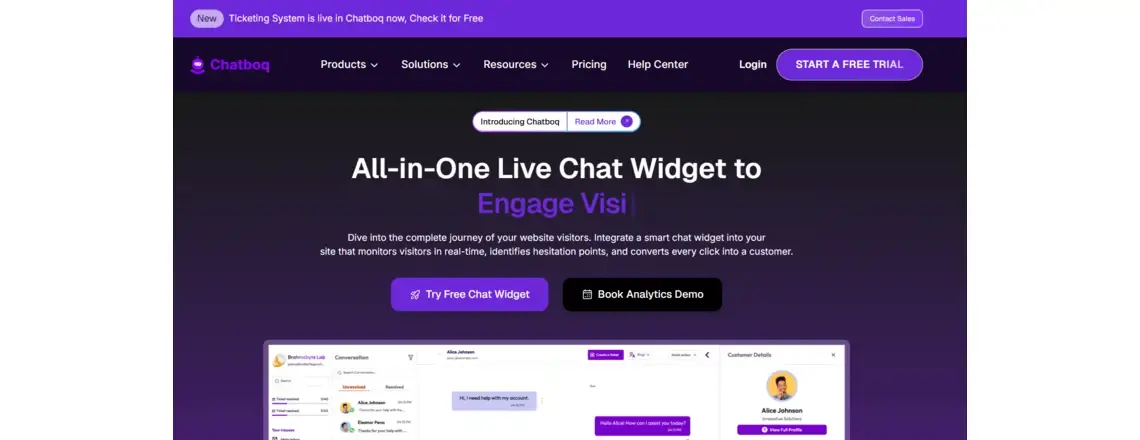
Chatboq provides a unified chat widget app with live chat, chatbots, and automations. Real-time visitor monitoring shows page views, scrolls, and hesitation points. Multichannel inbox consolidates website chats, emails, and social DMs.
- Pros: All-in-one solution, visitor analytics, mobile apps, extensive integrations (HubSpot, Salesforce, WhatsApp, Slack).
- Cons: Focused on web-based chat experiences.
- Best for: Businesses wanting live chat plus automation, teams needing visitor insights, and companies requiring omnichannel deployment.
2. Dialogflow (Google)
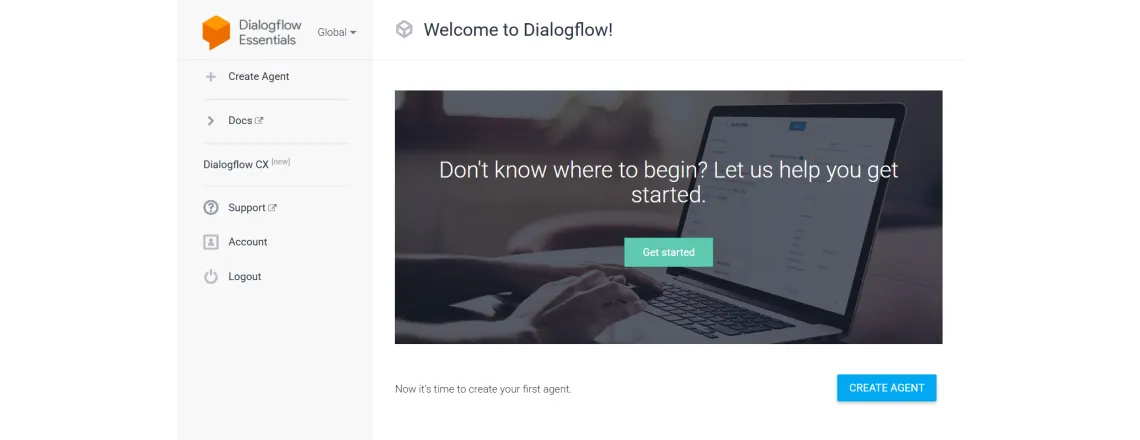
Google’s platform excels at natural language processing. It handles 30+ languages and connects with Google Cloud. You get a visual interface and API access.
- Pros: Excellent NLP accuracy, many built-in entities, straightforward deployment, free tier available.
- Cons: Gets expensive at scale, limited ML customization, Google ecosystem lock-in.
- Best for: Multi-language needs, Google product users, and fast launches.
3. Microsoft Bot Framework
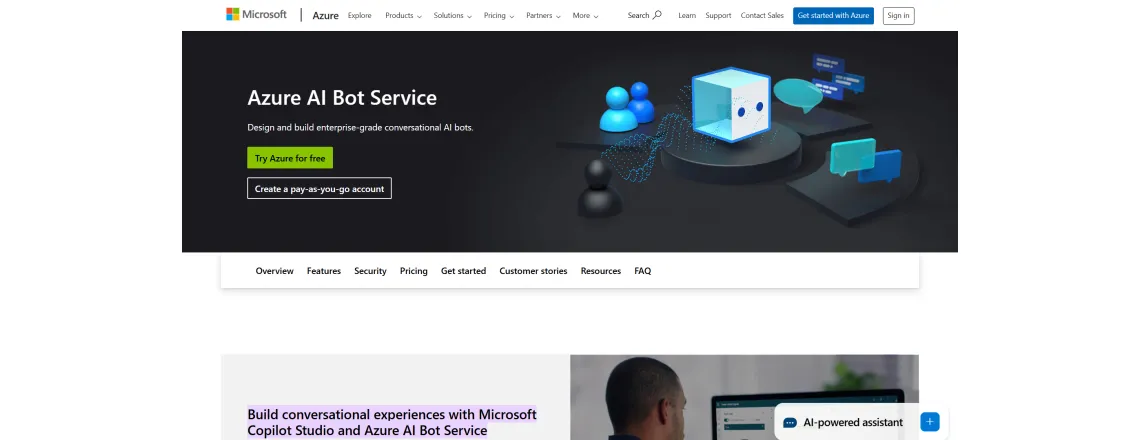
This framework gives SDKs for sophisticated bots. You get Bot Builder SDK and Azure Cognitive Services. Deploy across multiple channels.
- Pros: Enterprise-ready, thorough documentation, Azure integration, strong security.
- Cons: Steep learning curve, benefits Microsoft users, requires coding knowledge.
- Best for: Companies with Microsoft infrastructure, .NET or Node.js developers.
4. Rasa
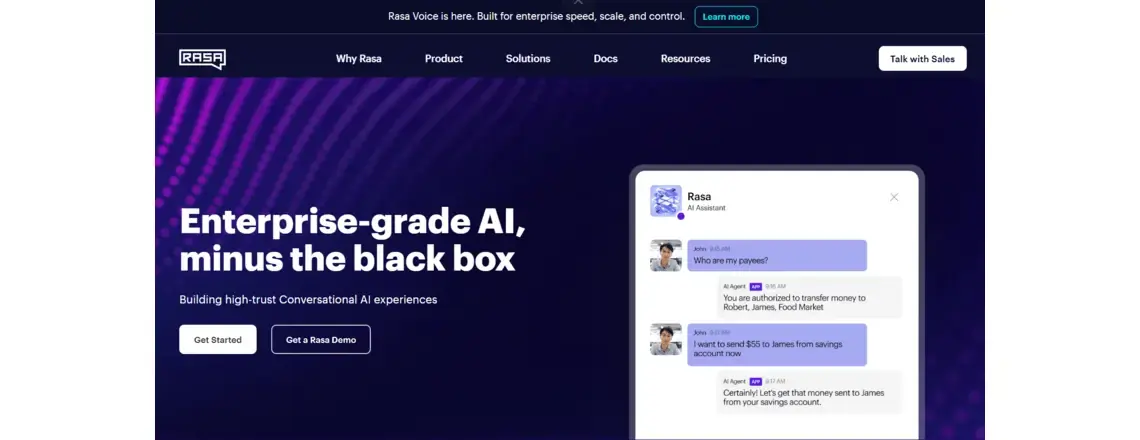
Open-source chatbot development framework with complete control. Rasa runs on your servers. Your data stays private.
- Pros: Complete control, data privacy, no usage fees, highly customizable.
- Cons: Needs technical expertise, longer development, and is self-hosted.
- Best for: Sensitive data industries, developers wanting control, and unique requirements.
5. IBM Watson Assistant
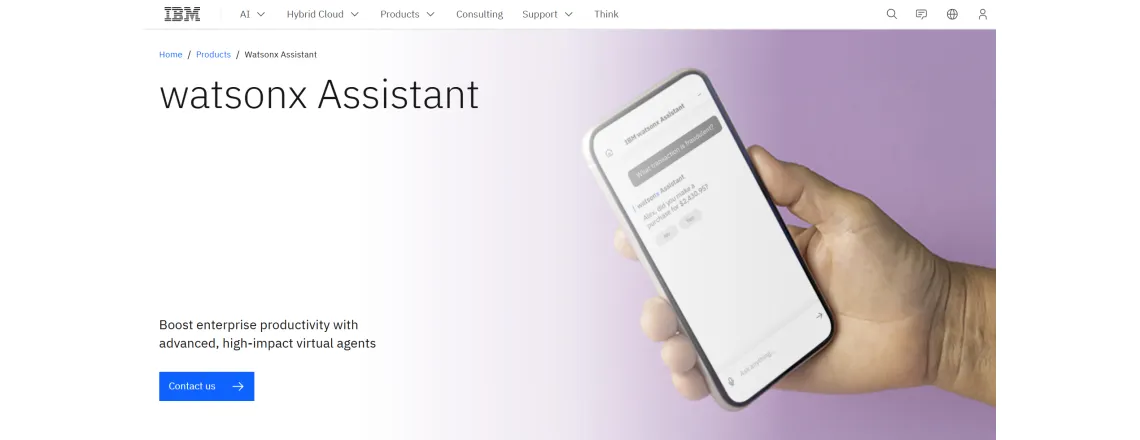
Watson brings powerful AI with industry solutions. Advanced NLP, voice integration, and detailed analytics.
- Pros: Sophisticated NLP, strong analytics, industry templates, reliable support.
- Cons: Higher cost, complex setup, and needs technical knowledge.
- Best for: Large enterprises, regulated industries, and complex customer service.
6. Amazon Lex
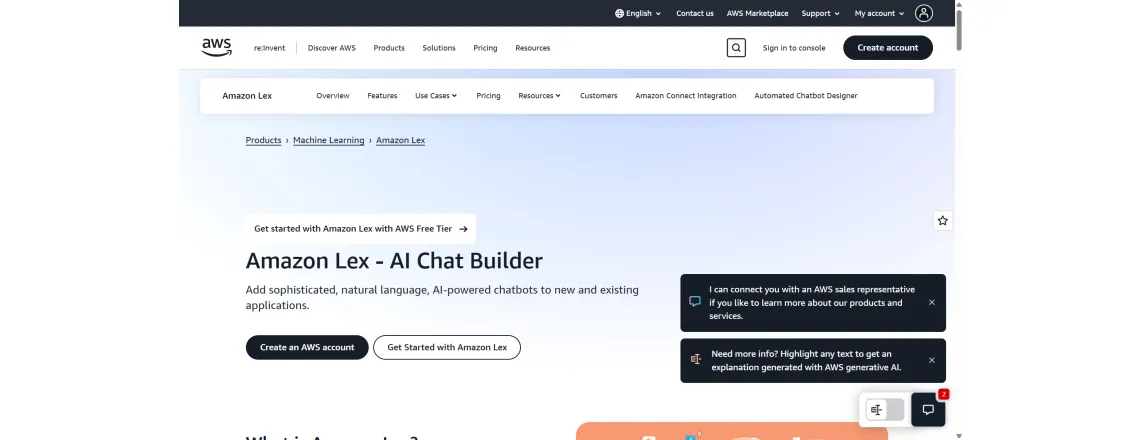
Built on Alexa technology, so excellent for voice. Connects naturally with AWS services. Pay-per-use pricing.
- Pros: Great voice recognition, AWS integration, automatic speech recognition, and scales affordably.
- Cons: AWS-tied, limited visual builder, needs technical knowledge.
- Best for: Voice-first apps, AWS users, large-scale projects.
Looking for the right chatbot development tools? Start with Chatboq and access powerful integrations.
Step 5: Build and Train Your Chatbot
Now comes the actual implementation work, where you bring your design to life and train AI models.
Implement Natural Language Processing
AI chatbot development relies heavily on robust natural language processing to understand users accurately. Start by setting up intent recognition with diverse, high-quality chatbot training data from real conversations.
- Standard phrases that users commonly say when asking questions or making requests
- Spelling mistakes and grammar errors occur because real users constantly
- Different ways to phrase the same question or request for flexibility
- Regional language differences and local expressions that your audience uses
- Abbreviations and actual slang that people use in casual conversation
Set up entity extraction to capture key details like dates, locations, product names, and customer IDs. Use system entities for common types and create custom ones for business-specific data.
Enable sentiment analysis to detect user emotions. Flag frustrated users for quick human support and identify satisfied ones for upsell or referral opportunities.
Develop Dialog Management
Get context management working properly to track conversation state throughout multi-turn interactions. Store user preferences and information collected earlier in the conversation for personalization.
Build conversation branches for different situations that might arise during interactions. Create paths for when things work correctly and users get what they need. Design paths for when things fail and you need to recover gracefully. Handle topic changes when users pivot to different questions mid-conversation. Ensure clean exits that leave users satisfied with the interaction.
Configure API Integration and Webhooks
Connect your chatbot to your business systems through APIs to access real data and perform actions.
- CRM platforms like Salesforce and HubSpot for accessing customer information and interaction history
- Payment systems like Stripe and PayPal are used for processing transactions securely
- Calendar services like Google Calendar and Outlook for scheduling appointments automatically
- Knowledge bases like Zendesk and Confluence for pulling support documentation
- Analytics platforms (Google Analytics, Mixpanel) for tracking
Set up webhook configuration for complex logic and database operations. Chatboq simplifies this with pre-built integrations.
Step 6: Test Your Chatbot Thoroughly
Good chatbot testing strategies prevent disasters, bad user experiences, and embarrassing mistakes after launch.
Conduct Functional Testing
Test every intent with multiple phrasings. Check entity extraction accuracy. Test all conversation branches. Confirm error handling works. Verify API integrations function properly.
Build test scripts covering:
- Happy path scenarios where everything works perfectly and users get what they need
- Negative scenarios where users provide invalid inputs or make mistakes
- Edge cases that are weird, but possible situations you need to handle
- Recovery paths that show how your bot handles errors and gets back on track
Perform User Acceptance Testing
Recruit 15-20 real users matching your audience. Give them specific scenarios without guidance and watch where they get stuck. Collect honest feedback and measure completion rates.
Run Performance Testing
Test your chatbot under heavy load conditions to ensure it can handle real production traffic. Make sure it handles multiple concurrent conversations without slowdowns or failures. Verify response times stay reasonable even when many users are active simultaneously. Check that API calls don’t timeout or fail under increased load. Confirm resources are managed efficiently without memory leaks or performance degradation.
Step 7: Deploy and Monitor Performance
Follow this chatbot deployment guide for smooth launches that don’t blow up in your face.
Create a Phased Rollout Plan
Don’t just flip the switch and launch to everyone at once; take a measured approach.
- Week 1-2: Deploy to your team first. Collect feedback and fix critical bugs.
- Week 3-4: Limited beta with 5-10% of users. Watch closely with daily reviews.
- Week 5-6: Expand to 25-50% if phase 2 succeeds. Continue monitoring and surveys.
- Week 7+: Full launch to everyone. Announce via email, website, and social media.
Set Up Monitoring and Analytics
Track comprehensive chatbot analytics to understand performance and identify improvement opportunities continuously.
- Conversation volume and patterns showing when users need help most
- Intent recognition accuracy reveals how well your bot understands requests
- User satisfaction scores measure whether people find interactions helpful
- Completion and drop-off rates showing where conversations fail
- Response time metrics indicate whether your bot responds quickly enough
- Human escalation frequency reveals when bots can’t handle situations alone
- API performance ensures integrations work reliably without failures.
Set alerts for problems like sudden completion drops or API failures.
Chatboq’s analytics dashboard tracks every live chat metric. Response time, resolution rate, CSAT, peak hours, agent performance, and customer journey touchpoints update in real time.
Plan Ongoing Maintenance
Chatbot maintenance is never truly finished; continuous improvement is essential for long-term success.
- Weekly: Review conversation logs, update training data, and fix misunderstood intents.
- Monthly: Check metric trends, add new intents for unhandled questions.
- Quarterly: Review overall strategy, plan features, retrain ML models, and update integrations.
Ready to launch your chatbot? Get started with Chatboq for reliable deployment and monitoring.
Essential Chatbot Development Best Practices
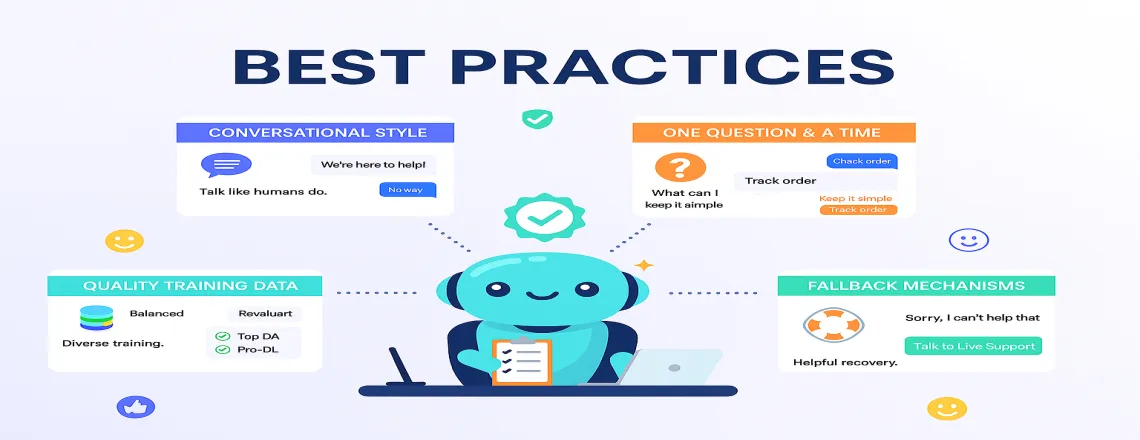
These chatbot development best practices work in real-world situations and improve user satisfaction significantly.
Conversational AI Development Principles That Work
You should write like people actually talk, use contractions, mix up sentence lengths, and give your chatbot some personality. Ask one question at a time and break tricky steps into simple, easy-to-follow steps. When offering choices, stick to 3–4 clear options and always confirm important actions so users know you got it right.
Natural Language Processing Implementation
Start with quality training data by using real questions from support tickets and chat logs to teach your bot. Ensure your data is balanced so that no intent is over- or underrepresented, and regularly retrain as new conversations emerge.
Creating Effective Training Data
You should mix things up and not repeat the same phrase. Include all the ways people actually talk, even typos. Train on phrases that don’t match each intent and use real user language.
Building Robust Fallback Mechanisms
Make fallback messages helpful, like “I didn’t catch that. Ask about returns or shipping.” Handle mistakes step by step: rephrase, offer alternatives, then involve a human. Log fallbacks and give users an easy path to live support.
Ensuring Data Privacy and Security
Follow GDPR and CCPA rules. Encrypt sensitive info and require authentication. Let users delete data and check security often.
Cost Considerations for Chatbot Development

Understanding chatbot development cost helps you budget appropriately and calculate expected return on investment.
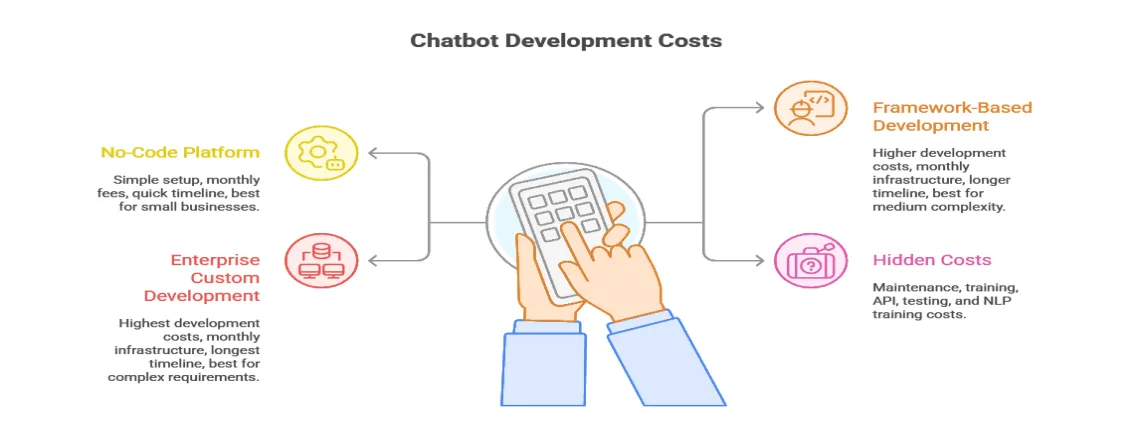
No-Code Platform Approach
- Setup: $0-$500 (configuration time)
- Monthly fees: $50-$500 (features and usage)
- Annual: $600-$6,000
- Timeline: 1-4 weeks
- Best for: Simple needs, small to medium businesses
Framework-Based Development
- Development: $15,000-$60,000 (design, development, testing)
- Infrastructure: $200-$1,500/month (hosting, AI services)
- Annual: $17,400-$78,000 first year; $2,400-$18,000 ongoing
- Timeline: 2-4 months
- Best for: Medium complexity, custom needs
Enterprise Custom Development
- Development: $75,000-$300,000+ (full solution)
- Infrastructure: $2,000-$15,000/month (hosting, security, support)
- Annual: $99,000-$480,000+ first year; $24,000-$180,000+ ongoing
- Timeline: 4-12 months
- Best for: Complex requirements, critical apps, large-scale
Hidden Costs to Consider
Maintenance costs 15 – 20% of the initial development cost yearly for keeping things running. Also, budget appropriately for these often-overlooked expenses that add up over time.
- Training teams managing the bot
- API costs from third-party services
- Testing for major updates
- Ongoing NLP training
Need transparent pricing for your chatbot project? Contact Chatboq for a custom quote.
Future Trends in Chatbot Technology
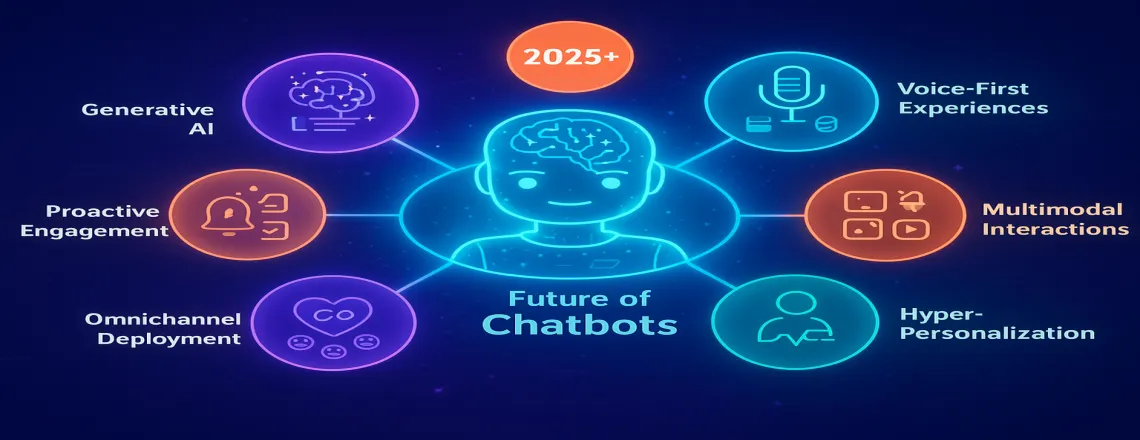
The chatbot world changes fast. Know what’s coming to protect your investment.
Generative AI Integration
Large language models are changing everything. Instead of canned responses, chatbots write contextual replies. More natural conversations and better edge case handling. But you need guardrails. Fact-checking and bias detection matter for quality.
Voice-First Experiences
Voice grows through smart speakers, cars, and phones. Future chatbots handle text and voice across channels. Requires handling voice patterns, accents, and background noise differently.
Multimodal Interactions
The next generation combines text, voice, images, and video. Users send product photos for identification. Get video tutorial responses.
Hyper-Personalization
Better analytics and machine learning create bots that adapt to individuals. Remember preferences, predict needs, and customize based on behavior.
Chatboq already offers this through real-time visitor tracking. Watch page views, scrolls, and chat opens as they happen. Identify hot paths, drop-off points, and buying signals.
Emotional Intelligence
Better sentiment analysis and emotional recognition mean appropriate responses to feelings. More empathetic conversations in sensitive situations.
Omnichannel Deployment Evolution
Users expect smooth experiences everywhere. Future chatbots maintain context as users switch from website to mobile app to messaging platform. Requires sophisticated omnichannel deployment strategies syncing history and preferences across channels.
Chatboq delivers this today. Multichannel inbox consolidates website chats, emails, Instagram, Facebook Messenger, WhatsApp, and Telegram. Mobile apps for iOS and Android keep you connected anywhere.
Proactive Engagement
Instead of waiting, chatbots reach out. Abandoned carts, support updates, and shipping notifications based on usage patterns. A careful balance is needed to avoid feeling intrusive while providing value.
Conclusion and Next Steps
Building chatbots that actually work takes more than just technical implementation skills and coding ability. You need strategic thinking to identify the right use cases and measurable goals. User-centered design ensures conversations feel natural rather than robotic and frustrating. Commitment to continuous improvement based on real usage data drives long-term success.
This comprehensive AI chatbot development guide equipped you to handle every stage of the chatbot development process, from initial planning and strategy through successful deployment and ongoing refinement efforts.
Frequently Asked Questions (FAQs)
Chatbot development is the process of creating software that can engage in conversations with users. AI chatbots help businesses provide instant customer support, automate tasks, and improve user experience.
There are three main types: rule-based chatbots, AI-powered chatbots, and hybrid chatbots. Rule-based bots follow preset flows, AI chatbots understand natural language, and hybrid bots combine both approaches.
Popular tools include Chatboq, Dialogflow, Rasa, Microsoft Bot Framework, and IBM Watson Assistant. Your choice depends on your business size, technical expertise, and required integrations.
Start by mapping out user intents, entry points, decision branches, and fallback options. Keep conversations short, clear, and natural, using buttons for common responses.
Use high-quality training data from support tickets, chat logs, and real user questions. Include spelling mistakes, slang, and multiple phrasings for better intent recognition.
Key components include the NLU engine, dialog management system, response generation, integration layer, and analytics tools. Each ensures the chatbot understands, responds, and connects to your business systems.
Conduct functional, user acceptance, and performance testing. Roll out the bot in phases, monitor analytics, and track metrics like conversation completion, satisfaction scores, and escalation frequency.
AI chatbots provide 24/7 support, handle repetitive questions, escalate complex issues to humans, and collect customer feedback for continuous improvement.
Chatbot development depends on your business goals, technical expertise, project complexity, and the type of chatbot you want to build. Consider integration needs, conversational design, AI capabilities, and ongoing maintenance to ensure long-term success.
Future trends include GPT-based conversational AI, voice-first interfaces, multimodal interactions, hyper-personalization, emotional intelligence, omnichannel deployment, and proactive engagement.

Daniel Wong
Technical Content Writer
My name is Daniel Wong, a Technical Content Writer from Singapore with a strong interest in AI-powered tools and digital automation. At ChatBoq AI, I focus on creating practical and easy-to-follow content that helps businesses and individuals understand how chatbots work and how to use them effectively.
I enjoy breaking down complex topics like natural language processing (NLP) and conversational AI into simple guides that anyone can follow. Each article is based on careful research, real-world examples, and testing to ensure accuracy and reliability.
Through ChatBoq AI, my goal is to provide readers with trustworthy insights, step-by-step tutorials, and the latest trends in chatbot technology.
✍️
Expert in AI & Chatbot Technology

Leave A Comment